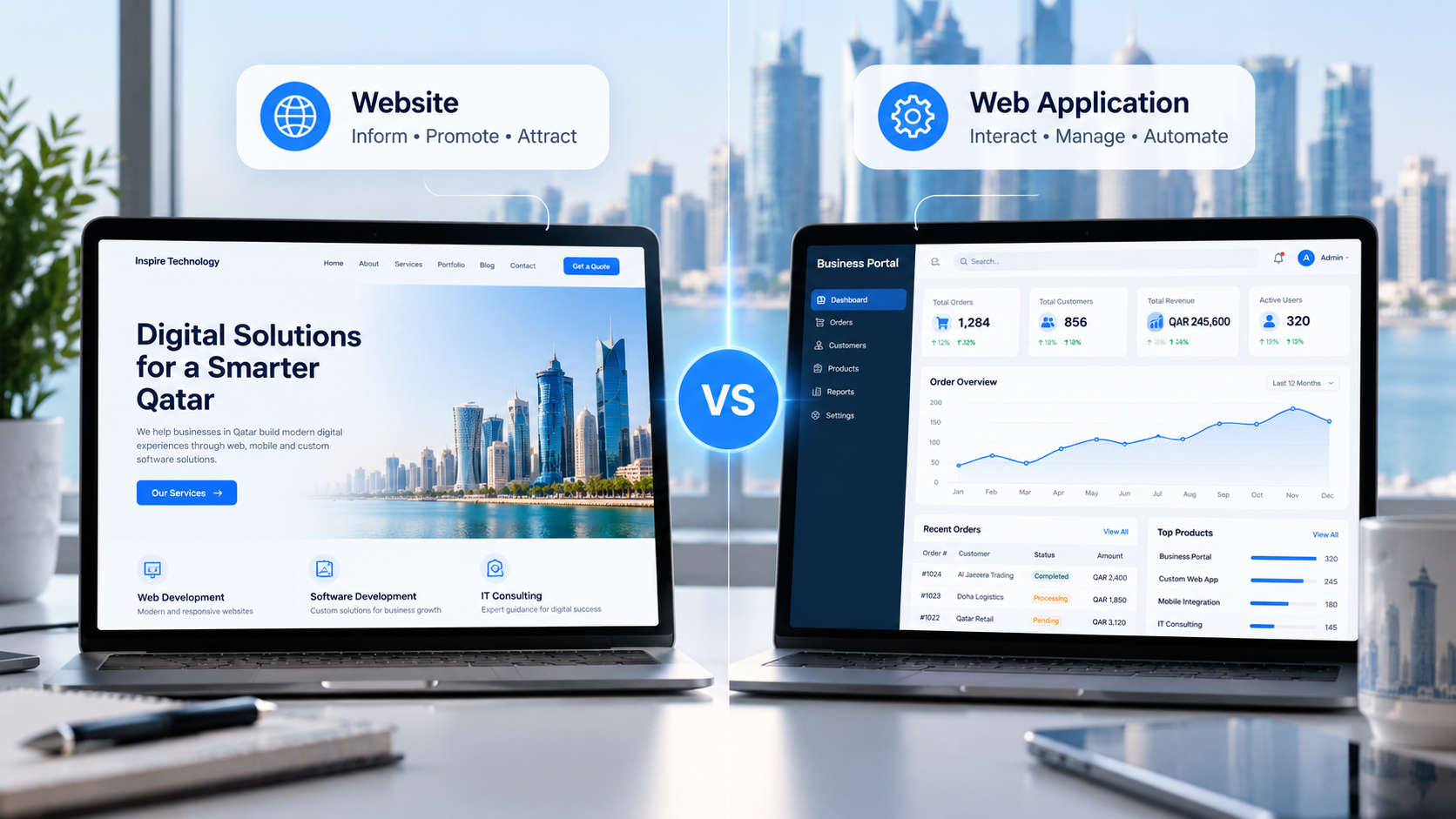

A website and a web application both run in a web browser, but they serve different business needs. A website primarily presents information, promotes services, and attracts customers. A web application allows users to perform tasks, manage information, and interact with business systems through the browser.
For example, a company’s service website helps visitors explore its offerings and submit inquiries. A customer portal lets clients log in, track orders, download documents, and manage their accounts.
The difference between a web application vs website comes down to purpose, functionality, user interaction, and the complexity of the underlying technology. Businesses in Qatar should understand these distinctions before investing in a digital platform.
What Is a Website?
A website is a collection of connected web pages that provide information, promote a business, or help visitors complete straightforward actions. Users access it through a browser on a desktop, tablet, or mobile device.
Most business websites focus on visibility, communication, and customer acquisition. They help potential customers understand what a company offers, establish trust, and take the next step.
Common website features
A typical business website may include:
- Homepage, service pages, and company information
- Blog articles and educational resources
- Contact forms and inquiry submissions
- Product catalogs and service portfolios
- Customer testimonials and case studies
- Search engine optimization and analytics integration
- Calls to action that encourage inquiries or purchases
For example, a consulting firm in Doha may use its website to explain its services, publish industry insights, and collect leads through a contact form. Visitors can explore the business without needing individual accounts or personalized dashboards.
However, a website does not have to remain static. Modern websites can include animations, interactive forms, search functions, online payments, and other dynamic features. The presence of interactivity alone does not make a website a web application.
What Is a Web Application?
A web application is software that users access through a web browser to complete tasks, process information, or manage business activities. It typically combines a user interface with application logic, data storage, and integrations that support specific workflows.
Unlike a basic informational website, a web application often responds to individual users, permissions, submitted data, or business rules.
Common web application features
Business web apps may include:
- Secure user registration and authentication
- Personalized dashboards and account management
- Database-driven records and reporting
- Online booking and appointment management
- Inventory, order, and customer management
- Workflow automation and approval systems
- Payment processing and third-party integrations
- Role-based permissions and administrative controls
Consider a logistics company operating across Qatar. Its web application could allow customers to book shipments, track deliveries, access invoices, and receive status updates. Staff could use a separate dashboard to assign drivers, update delivery records, and monitor operations.
Such a platform requires more than displaying information. It must process requests, manage data, and apply business rules consistently.
Web Application vs Website: Key Differences
The main distinction lies in what users can accomplish after opening the platform. A website primarily communicates information, whereas a web application provides a more task-oriented experience.
| Comparison factor | Website | Web application |
| Primary purpose | Inform, promote, and attract customers | Help users complete tasks and manage data |
| User interaction | Often limited to browsing and basic actions | Often supports complex, interactive workflows |
| User accounts | Optional | Common when personalization or access control is needed |
| Data handling | May collect basic inquiries or display content | Often creates, updates, and processes records |
| Personalization | Usually limited | Can adapt to users, roles, and preferences |
| Backend logic | May be simple or highly advanced | Usually central to its core functionality |
| Integrations | Analytics, forms, marketing tools, and other services | Business systems, databases, APIs, payments, and automation |
| Development complexity | Depends on design and functionality | Often higher when workflows and data rules are complex |
| Maintenance | Content, security, performance, and updates | Application logic, data integrity, security, integrations, and updates |
| Typical examples | Company website, portfolio, blog, service website | Booking platform, customer portal, inventory system, CRM |
These categories are not mutually exclusive. A modern website can contain application-like features, and a web application can include public pages that function like a traditional website.
The best classification depends on the platform’s core purpose rather than its appearance.
Static Websites vs Dynamic Web Applications
Understanding static and dynamic functionality helps businesses make a more informed technology decision.
Static websites
A static website serves pages whose main content remains relatively consistent for visitors. Developers can build these pages with HTML, CSS, JavaScript, and supporting technologies.
Static websites work well for company profiles, landing pages, portfolios, and informational resources. They can deliver excellent performance when developers optimize assets, hosting, and page structure.
Dynamic websites
A dynamic website generates or updates content based on a content management system, database, user input, or other conditions. Examples include news websites, searchable product catalogs, and personalized content pages.
Dynamic functionality does not automatically make a platform a web application. A content management system can power a dynamic website without exposing complex workflows to visitors.
Dynamic web applications
Dynamic web applications use application logic to process user actions and deliver results. They may retrieve records, calculate values, enforce permissions, or trigger automated processes.
For example, an appointment platform can check available time slots, prevent duplicate bookings, save customer details, and send confirmation messages.
The practical difference is the depth of functionality. A dynamic website can display changing information, while a web application typically enables users to perform structured tasks through that information.
When Does a Business Need a Website?
A website is usually the right starting point when the primary goal is to establish an online presence, communicate value, and generate leads.
Consider a website if your business needs to:
- Present services, products, and company information
- Improve visibility in Google Search
- Publish blogs and industry resources
- Showcase projects, testimonials, and expertise
- Generate inquiries through forms or contact details
- Provide customers with straightforward product information
For example, a professional services company in Qatar may benefit from a search-optimized website that targets relevant services in Doha and other locations across the country.
A well-structured website can support organic traffic, strengthen brand credibility, and help potential customers evaluate your business before contacting your team.
When Does a Business Need a Web Application?
A web application becomes valuable when the business needs software that supports specific tasks, manages operational data, or connects different parts of a workflow.
Consider web app development when your business needs to:
- Provide customers with secure accounts and personalized dashboards
- Automate repetitive administrative processes
- Manage orders, inventory, bookings, or service requests
- Give employees access to shared operational records
- Connect existing business systems through APIs
- Apply approval rules and user-specific permissions
- Generate reports from live operational data
For instance, a growing distribution business may need an inventory platform that tracks stock levels, records incoming shipments, manages order fulfillment, and provides reports to authorized employees.
A standard website can explain the company’s services, but the operational platform requires application logic and data management.
Businesses can also combine both solutions. A public-facing website can attract customers, while an integrated web application handles account management, orders, and internal workflows.
Website vs Web Application: Cost, Security, and Scalability
The right investment depends on the features, technical requirements, and business outcomes involved. Neither option has a fixed cost or universal development timeline.
Development cost
A straightforward business website generally requires less development effort than a complex web application. However, advanced website features, custom integrations, and extensive content requirements can increase its cost.
Web applications often require additional work for user permissions, database design, application logic, testing, integrations, and ongoing maintenance.
Businesses should define the required features before requesting estimates. A clear scope helps developers distinguish essential functionality from optional enhancements.
Security requirements
Every website needs appropriate security measures. These may include HTTPS, secure hosting, software updates, access controls, and protection against common web vulnerabilities.
Web applications often require additional safeguards because they process user data and business transactions. Depending on the use case, these can include role-based access control, input validation, secure session management, audit logs, encryption, and regular security testing.
The correct controls depend on the sensitivity of the data and the platform’s risk profile.
Scalability and maintenance
A website may need to scale its hosting, caching, content delivery, and database resources as traffic increases.
A web application may also need to handle more concurrent users, larger datasets, complex queries, and growing integration requirements. Its architecture should account for these demands without adding unnecessary complexity at the outset.
In both cases, businesses should consider maintenance, backups, monitoring, performance optimization, and future feature development as part of the total cost of ownership.
How to Choose the Right Solution for Your Qatar Business
Start with the business problem rather than the technology. The following questions can help clarify the decision.
1. What should users accomplish?
If visitors mainly need to learn about your company, compare services, or contact your team, a website may be sufficient. If they need to manage accounts, process transactions, or complete multi-step workflows, a web application may be more suitable.
2. Does the platform need to store and process operational data?
A simple inquiry form may require only basic data handling. A platform that manages customer records, bookings, inventory, or financial transactions needs more extensive application logic and data controls.
3. Who will use the platform?
A public audience may need accessible informational pages. Employees, partners, and registered customers may require different dashboards, permissions, and functionality.
4. Which systems must it connect to?
Consider whether the solution needs to integrate with payment providers, CRM software, ERP platforms, accounting tools, logistics systems, or other business applications.
5. How might the business evolve?
Choose an approach that supports realistic future requirements without paying for unnecessary complexity today.
Selecting the right development partner also matters. Review the provider’s technical expertise, discovery process, security practices, communication, and post-launch support. Read our guide on how to choose a software development company in Qatar for a more detailed evaluation framework.
Businesses should also assess whether custom software or off-the-shelf software offers better value, especially when their requirements extend beyond standard website functionality.
Why Choose Custom Web Application Development?
Off-the-shelf platforms can work well when existing features meet your needs. Custom development becomes worth considering when your business requires specific workflows, specialized integrations, or functionality that standard products cannot provide effectively.
Custom web application development can help businesses build solutions around their operational requirements, user roles, data structures, and growth plans.
Potential benefits include:
- Workflows tailored to actual business processes
- Integration with existing tools and databases
- Greater control over features and user permissions
- Flexible opportunities for future development
- A more consistent experience for customers and employees
The value depends on the quality of the requirements, architecture, implementation, and ongoing support. Custom software is not automatically the better choice for every business.
If your project requires interactive dashboards, business portals, automated workflows, or integrated operational systems, explore Inspire Technology’s web application development services to understand how a tailored solution could support your goals.
Frequently Asked Questions
Is a web application the same as a website?
No. A website primarily presents information and helps visitors engage with a business. A web application allows users to complete tasks through interactive functionality and application logic. However, modern websites and web applications can overlap.
Is a web application better than a website?
Neither option is universally better. A website is suitable for marketing, information, and lead generation. A web application is more suitable for complex workflows, personalized accounts, and data-driven business processes. Some businesses need both.
Can a website become a web application?
Yes. A business can extend an existing website with features such as customer accounts, booking systems, dashboards, or database-driven workflows. The best approach depends on the existing architecture, technical limitations, security requirements, and planned functionality.
Is a web application more expensive to develop?
It can be, particularly when the project requires complex business logic, authentication, database operations, integrations, and extensive testing. Actual costs depend on scope, technology, team requirements, and ongoing support.
Do web applications work on mobile devices?
Yes. Responsive web applications adapt their interfaces to different screen sizes. Some applications also use progressive web app capabilities or other technologies to support additional mobile features. Device compatibility depends on the implementation.
What is a web portal?
A web portal is a website or web application that provides a centralized access point to information, services, or tools. Customer portals, employee portals, and supplier portals often include authentication, personalized content, and task-oriented features.
Which technologies are used to develop web applications?
The technology stack depends on the project’s requirements. Common options include HTML, CSS, JavaScript or TypeScript, frontend frameworks such as React, backend technologies such as Node.js or Python, relational or NoSQL databases, and APIs for integrations.
Developers should select technologies based on maintainability, security, performance, available expertise, and long-term business needs rather than popularity alone.
Build the Right Digital Solution for Your Business
The choice between a website and a web application starts with understanding what your business and its users need to accomplish.
A website can strengthen your online presence, improve discoverability, and generate qualified leads. A web application can support more complex interactions, streamline operations, and connect business processes through purpose-built functionality.
Inspire Technology helps businesses evaluate their requirements and plan digital solutions that align with their goals. If you are considering a new platform or upgrading an existing system, explore our web application development services to discuss the right approach for your business.