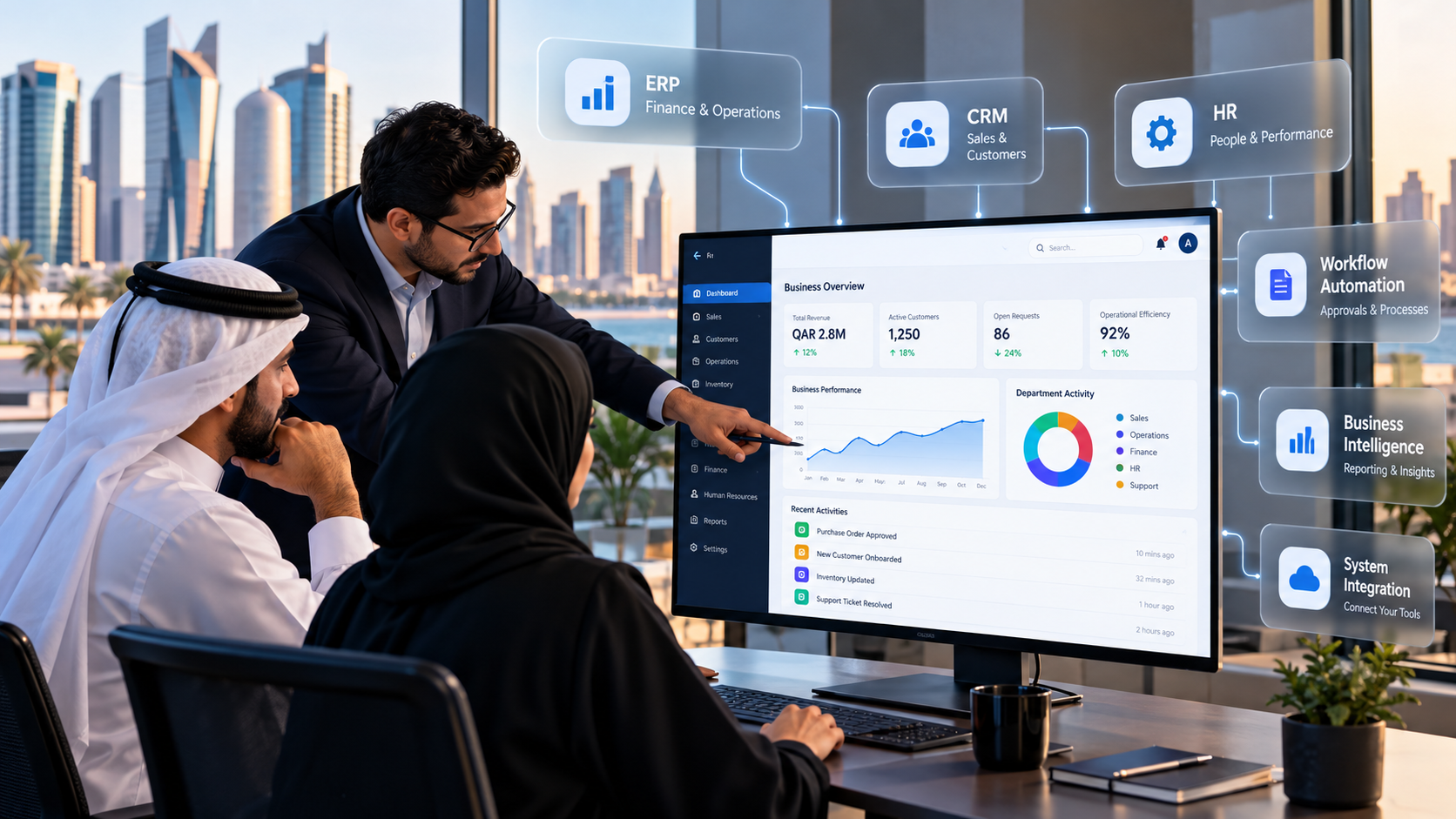

The goal of enterprise application development is to help businesses run complex operations through connected, reliable software. From managing employees and customer relationships to automating workflows and consolidating business data, enterprise applications give teams the tools to work more efficiently as an organisation grows.
For businesses in Qatar, the right enterprise application can connect departments, reduce manual administration, improve reporting, and support digital transformation. The challenge is choosing an approach that addresses current operational problems without creating unnecessary complexity or limiting future growth.
This guide explains what enterprise application development involves, the types of applications businesses use, the development process, the differences between custom and off-the-shelf software, and the factors to evaluate before investing in an enterprise solution.
What Is Enterprise Application Development?
Enterprise application development is the process of designing, building, integrating, deploying, and maintaining software that supports an organisation’s business processes. These applications help manage information, coordinate departments, automate repetitive tasks, and connect systems across an organisation.
Unlike a simple standalone application, enterprise software often serves multiple teams, user roles, locations, and operational functions. It may need to integrate with existing databases, accounting platforms, customer management tools, or external services.
For example, a company managing procurement, inventory, finance, and sales through separate systems may struggle with duplicated records and delayed reporting. An integrated enterprise application can connect these workflows, allowing authorised employees to access consistent information and complete tasks through a coordinated process.
Businesses can develop enterprise applications from scratch, customise an existing platform, or combine ready-made software with purpose-built components. The right approach depends on business requirements, technical constraints, integration needs, and long-term objectives.
What Makes an Application an Enterprise Application?
Enterprise applications are designed around organisational requirements rather than a single user’s needs. Common characteristics include:
- Multi-user access: Employees, managers, administrators, and external partners can access relevant functions according to their responsibilities.
- Centralised data management: Information can be shared across departments through connected databases and systems.
- Workflow automation: Routine tasks such as approvals, notifications, reporting, and record updates can follow defined business rules.
- System integration: APIs and other integration methods allow applications to exchange information with existing business software.
- Security and access control: Authentication, role-based permissions, audit logs, and data protection measures help safeguard business information.
- Scalability and reliability: The application architecture supports changing workloads, additional users, and evolving business requirements.
The exact requirements vary by organisation. A regional distributor may prioritise inventory and procurement integration, while a professional services firm may focus on project delivery, resource allocation, and client reporting.
Enterprise Software vs. Regular Business Applications
The main difference lies in the scale and complexity of the processes being supported.
| Feature | Standard business application | Enterprise application |
| Primary purpose | A specific task or function | Connected organisational processes |
| Users | Individuals or smaller teams | Multiple departments and user groups |
| Data management | May operate independently | Often shares data across systems |
| Integration | Limited or optional | Frequently a core requirement |
| Access controls | Basic permissions may suffice | More granular roles and audit controls |
| Growth requirements | Depends on the use case | Designed around organisational growth and workload |
A standard application can still be suitable for an enterprise. The distinction is not simply company size or software price. It is whether the application can meet the organisation’s functional, integration, security, and operational requirements.
Types of Enterprise Applications Businesses Use
Enterprise applications serve different functions depending on an organisation’s structure, industry, and operational priorities. Some manage financial transactions, others coordinate customer relationships, and many connect workflows that previously relied on separate tools.
1. Enterprise Resource Planning (ERP) Systems
ERP systems bring core business functions into a connected environment. Depending on the platform, modules may support finance, procurement, inventory, supply chain management, human resources, and project accounting.
A distribution business, for example, can connect purchase orders, stock levels, supplier records, and financial transactions. Updates in one part of the system can inform related processes, reducing manual reconciliation and improving visibility across operations.
2. Customer Relationship Management (CRM) Systems
CRM applications help businesses manage customer records, sales pipelines, communication histories, marketing activities, and service requests.
Sales teams can track opportunities from initial enquiry to contract completion. Customer service teams can review relevant interaction histories, while managers can assess pipeline performance and identify follow-up priorities.
3. Workflow Automation and Business Process Management Applications
Workflow applications coordinate tasks that move between employees, departments, or approval levels. Common examples include purchase approvals, expense claims, leave requests, contract reviews, and service escalations.
A procurement workflow could automatically route a purchase request to the appropriate manager based on its value, notify the finance team after approval, and maintain a record of each decision. Business rules, permissions, and exception handling determine how reliably the process operates.
4. Employee Portals, Customer Portals and Reporting Dashboards
Portals give specific user groups access to relevant information and services through a central interface.
An employee portal might provide access to HR documents, leave balances, internal requests, and company announcements. A customer portal could support order tracking, invoices, service requests, and account information.
Reporting dashboards consolidate operational data into useful views of sales, service performance, inventory, financial activity, or project progress. Their value depends on accurate underlying data, clear metrics, and appropriate access permissions.
Key Benefits of Enterprise Application Development
Enterprise application development can improve how information moves through a business and how teams complete everyday work. The greatest benefits usually come from addressing specific operational problems rather than adding technology without a clear objective.
Automating Repetitive Business Processes
Manual data entry, repeated approvals, spreadsheet updates, and disconnected handovers consume employee time. Enterprise applications can automate predictable tasks through defined rules, scheduled actions, notifications, and integrations.
Automation also makes process ownership clearer. Managers can identify pending approvals, review exceptions, and monitor completion times without relying entirely on individual status updates.
Connecting Departments and Centralising Data
Separate departmental systems can create data silos, inconsistent records, and conflicting reports. An integrated application can establish shared data sources and consistent workflows across finance, sales, operations, and management.
Centralisation does not necessarily require storing every record in one database. Depending on security and technical requirements, systems can exchange information through APIs and controlled integrations while retaining separate data stores.
The objective is to make the right information available to authorised users without introducing unnecessary duplication or access risks.
Improving Reporting and Decision-Making
Reliable operational data helps managers understand performance, identify bottlenecks, and plan resources. Enterprise applications can bring together information from transactions, workflows, customer interactions, and operational systems to support timely reporting.
For example, a service organisation could compare incoming requests, resolution times, outstanding cases, and team workloads. Management could use the findings to adjust staffing or improve the processes responsible for delays.
Reports become more useful when businesses define metrics consistently and establish data quality controls. A dashboard cannot compensate for incomplete records or conflicting definitions.
Supporting Business Growth and Scalability
Business processes often become harder to manage as transaction volumes rise, teams expand, and new locations are added. Enterprise applications can support growth through modular functionality, reusable integrations, automated workflows, and architecture designed for changing workloads.
Scalability requires deliberate engineering. Database capacity, application performance, network dependencies, and third-party service limits can all become bottlenecks as demand increases. Microsoft’s architecture guidance explains why applications must be designed to distribute workloads effectively rather than relying on infrastructure upgrades alone.
Businesses should define realistic growth expectations before choosing their architecture, avoiding both underpowered systems and unnecessary technical complexity.
How Enterprise Applications Are Developed
Successful enterprise application development begins with business analysis and continues through design, implementation, testing, deployment, and ongoing improvement. Each stage should produce clear deliverables and reduce uncertainty before the next set of decisions is made.
Step 1: Business Requirements and Workflow Analysis
The development team works with stakeholders to understand the organisation’s goals, current processes, user needs, existing systems, and operational constraints.
This stage should establish:
- The business problems the application must solve.
- User roles, permissions, and workflow responsibilities.
- Functional requirements and expected system behaviour.
- Non-functional requirements for performance, security, availability, and usability.
- Integration dependencies, data sources, and migration needs.
- Measurable success criteria.
Requirements should distinguish essential launch capabilities from later enhancements. A clear scope reduces the risk of building features that add cost without improving business outcomes.
Step 2: Application Architecture and Technology Selection
Architecture decisions influence how the application handles data, integrations, security, performance, deployment, and future changes.
The team evaluates suitable programming languages, frameworks, databases, hosting options, identity systems, and integration patterns. It also determines whether a modular application, service-based architecture, or another approach is appropriate for the requirements.
Microservices are not automatically the best choice for enterprise systems. A modular application may be simpler to build and operate, while independently deployable services can help when different components have distinct scaling or release needs.
The right architecture balances maintainability, reliability, delivery speed, operational capacity, and total cost of ownership.
Step 3: UI/UX Design and Application Development
Designers map the user journeys, navigation, forms, dashboards, and interactions needed to complete business tasks. Wireframes and interactive prototypes help stakeholders review the proposed experience before significant development work begins.
The development team then implements the application interface, business logic, data models, APIs, and required integrations. Development may proceed in manageable iterations, allowing users to review working functionality and clarify requirements as the project advances.
Enterprise interfaces should prioritise task efficiency, clear feedback, accessible interactions, and consistent behaviour. A system can meet its technical specifications yet struggle in practice if employees find routine tasks confusing or unnecessarily time-consuming.
Step 4: System Integration, Testing and Security
Enterprise applications frequently depend on existing software, databases, payment services, identity providers, or third-party APIs. Integration testing checks how these components exchange information and handle errors, delays, duplicate requests, and service interruptions.
Quality assurance should cover:
- Functional and regression testing.
- API and integration testing.
- Performance and load testing.
- Security testing and access-control validation.
- Data migration and data integrity checks.
- Usability and accessibility testing.
- Backup, recovery, and failure scenarios.
Security should be incorporated throughout the development lifecycle. Appropriate controls may include multi-factor authentication, role-based access control, encryption, secure secrets management, audit logging, vulnerability scanning, and dependency updates. The exact controls depend on the application’s risks and applicable obligations.
Step 5: Deployment, Monitoring and Ongoing Maintenance
Deployment moves the application into its production environment. Depending on business risk, the release may use a pilot group, phased rollout, or controlled migration from a legacy system.
Before launch, teams should prepare user documentation, training, support procedures, monitoring, backups, and a rollback plan. After launch, operational monitoring helps detect errors, slow response times, failed integrations, and unusual system behaviour.
Ongoing maintenance includes security patches, dependency updates, bug fixes, performance improvements, and changes required by evolving business processes. Enterprise application development is a continuing responsibility, not a project that ends when the software goes live.
Custom Enterprise Software vs. Off-the-Shelf Solutions
Businesses generally choose between ready-made software, custom-built applications, or a combination of both. The appropriate option depends on how closely existing products match business requirements and how much flexibility the organisation needs.
| Evaluation factor | Off-the-shelf software | Custom enterprise software |
| Initial implementation | Often faster with standard workflows | Requires requirements analysis and development |
| Business processes | Primarily follows supported product features | Can be designed around specific workflows |
| Integration | Depends on available APIs and connectors | Integration can be planned around the required systems |
| Customisation | Limited by product capabilities and licensing | Greater control over functionality and future changes |
| Cost structure | Subscription, licensing, configuration and support fees | Development, hosting, maintenance and support costs |
| Ownership and control | Governed by vendor terms | Depends on contracts, intellectual property and technology choices |
Off-the-shelf software is often suitable for standard business functions such as accounting, email, and basic customer management. Custom development becomes worth evaluating when existing platforms cannot support essential workflows, integration requirements, or operational rules without extensive workarounds.
A hybrid approach can also work well. A business might retain an established ERP platform while developing a custom customer portal or workflow application that connects with it.
Read our guide to custom software vs. off-the-shelf software for a closer comparison of the two approaches.
What to Consider Before Developing an Enterprise Application
A clear business case helps organisations control development risks and make better technical decisions. Consider the following factors before committing to an enterprise application project.
Business Requirements and Total Cost of Ownership
Define the operational problem, the intended users, and the measurable result the application should deliver. Establish a realistic budget covering discovery, design, development, integrations, testing, infrastructure, training, support, and future enhancements.
Total cost of ownership matters more than the initial development quotation alone. Hosting, software licences, third-party services, security maintenance, and internal support can affect the long-term investment.
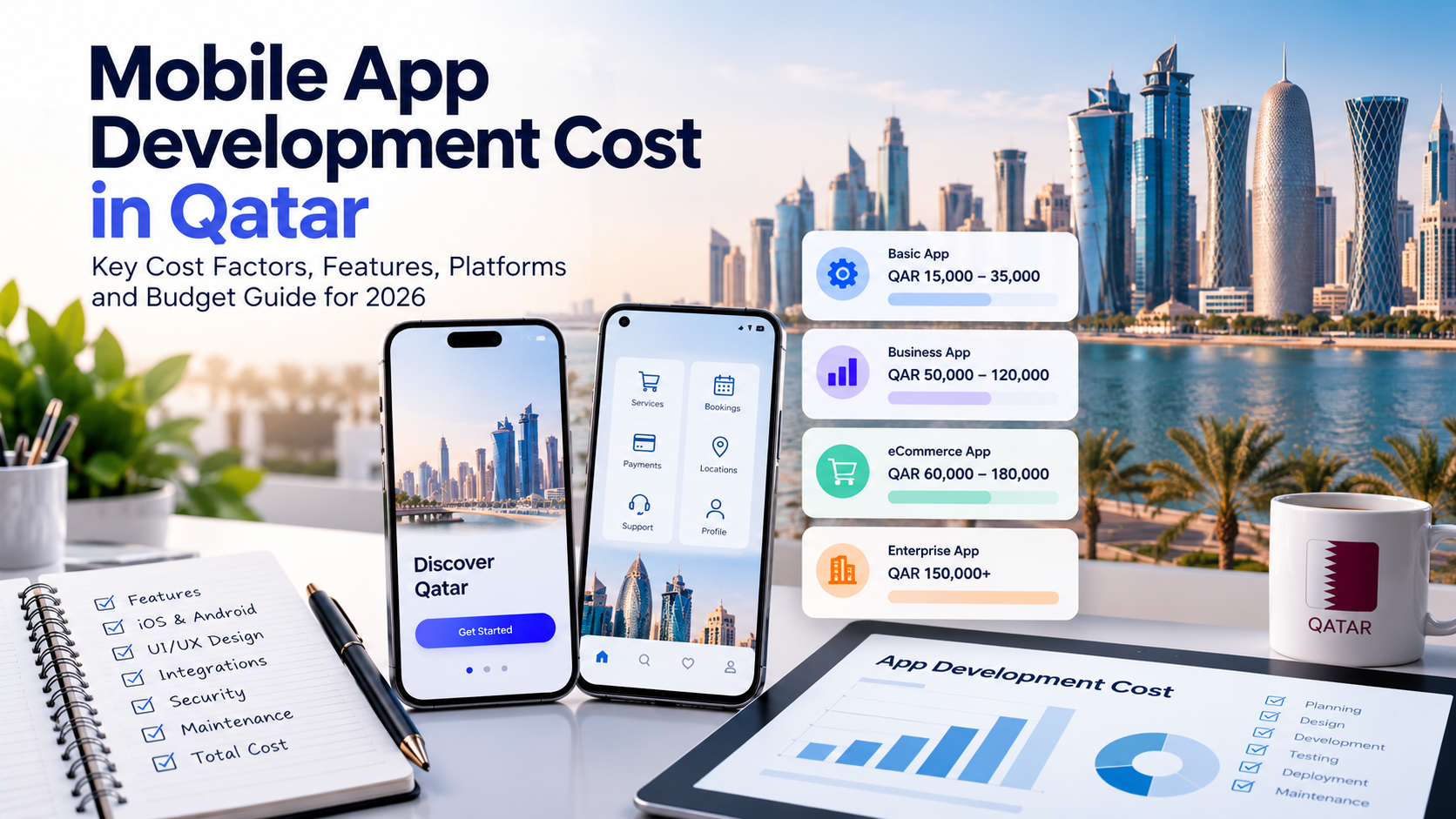
For more budgeting guidance, read our software development cost guide for Qatar.
Security, User Permissions and Data Governance
Determine which information the application will handle and who should have access to it. Financial records, employee information, customer details, and confidential business documents may require different access controls and retention policies.
Plan authentication, authorisation, encryption, audit trails, backup procedures, and incident response according to the application’s risk profile. Organisations operating in Qatar should also assess applicable data protection requirements and any sector-specific obligations relevant to their operations.
Integration with Existing Business Systems
Identify the systems the application must communicate with before development begins. These may include ERP and CRM platforms, accounting software, HR systems, payment gateways, reporting tools, or legacy databases.
Confirm API availability, data formats, authentication methods, rate limits, and integration costs. Where direct integration is unavailable, assess whether middleware, controlled data exchange, or a staged migration is appropriate.
Integration planning early in the project can prevent expensive redesigns later.
Future Scalability and Maintenance
Estimate expected user numbers, transaction volumes, data growth, and peak workloads. Consider how the application will accommodate additional departments, new business locations, changing processes, and future integrations.
A maintainable application also needs clear documentation, automated testing, monitoring, and an agreed support arrangement. These practices help businesses update software without introducing avoidable disruption.
How to Choose the Right Enterprise Application Development Partner
Selecting a development partner involves more than comparing quotations or programming languages. The team should understand business processes and demonstrate how its technical decisions will support operational requirements.
Evaluate potential partners against these criteria:
- Requirements analysis: Can the team translate business problems into clear functional and technical specifications?
- Architecture and integration expertise: Can it explain the trade-offs between custom software, existing platforms, APIs, and different architectural approaches?
- Security and quality assurance: Does its delivery process include access controls, testing, vulnerability management, and release checks?
- User experience: Can the team design interfaces that employees and customers can use efficiently?
- Project transparency: Are milestones, deliverables, responsibilities, and change requests clearly defined?
- Long-term support: Does the proposed arrangement cover maintenance, updates, documentation, and knowledge transfer?
Ask prospective partners to explain how they would approach your actual business requirements, including integration dependencies and operational risks. A credible proposal should clarify assumptions and limitations rather than promise every feature without understanding the scope.
Businesses evaluating a specialist partner can explore enterprise application development services from Inspire Technology to discuss their requirements and potential implementation approach.
Frequently Asked Questions
What is the purpose of enterprise application development?
Enterprise application development creates software that supports business operations, connects systems, automates workflows, and helps teams manage organisational data. The purpose is to address specific operational requirements while supporting security, reliability, and future business needs.
What are examples of enterprise applications?
Common examples include ERP systems, CRM platforms, HR management systems, inventory applications, procurement portals, workflow automation software, business intelligence dashboards, and custom customer or employee portals.
How long does enterprise application development take?
The timeline depends on the application’s complexity, number of integrations, data migration requirements, security needs, and scope. A small application with limited workflows may take considerably less time than a multi-department system involving several legacy platforms. A reliable estimate requires requirements discovery and technical assessment.
How much does enterprise application development cost?
Costs vary according to functionality, architecture, integrations, user roles, security requirements, hosting, testing, and ongoing support. Businesses should request a scoped estimate that separates initial development costs from recurring operating and maintenance expenses.
Can enterprise applications integrate with existing software?
Yes. Enterprise applications can integrate with existing systems through APIs, middleware, connectors, event-driven communication, or controlled data exchange. The available integration method depends on the systems involved, their technical capabilities, security requirements, and data consistency needs.
How do enterprise applications support business growth?
Enterprise applications can help businesses handle higher workloads, standardise processes, connect new departments, improve reporting, and reduce manual administration. Achieving these benefits requires appropriate architecture, reliable data, user adoption, and continued maintenance.
Build an Enterprise Application Around Your Business Needs
Enterprise application development can help organisations replace fragmented processes with connected, manageable workflows. The strongest results come from clear business requirements, appropriate architecture, secure integrations, thoughtful user experience, and a realistic long-term maintenance plan.
For businesses in Qatar, the starting point should be the operational problem that needs solving, whether it involves disconnected systems, manual approvals, inconsistent reporting, or limited visibility across departments.
Inspire Technology helps businesses explore software solutions based on their operational and technical requirements. Visit our enterprise application development service to discuss your project and identify a suitable next step.