
Modern businesses depend on accurate data, connected departments, and efficient workflows to manage daily operations. However, many organizations still use separate systems for accounting, sales, inventory, procurement, and customer service. These disconnected tools create data silos, increase manual work, and make it difficult for decision-makers to understand overall business performance.
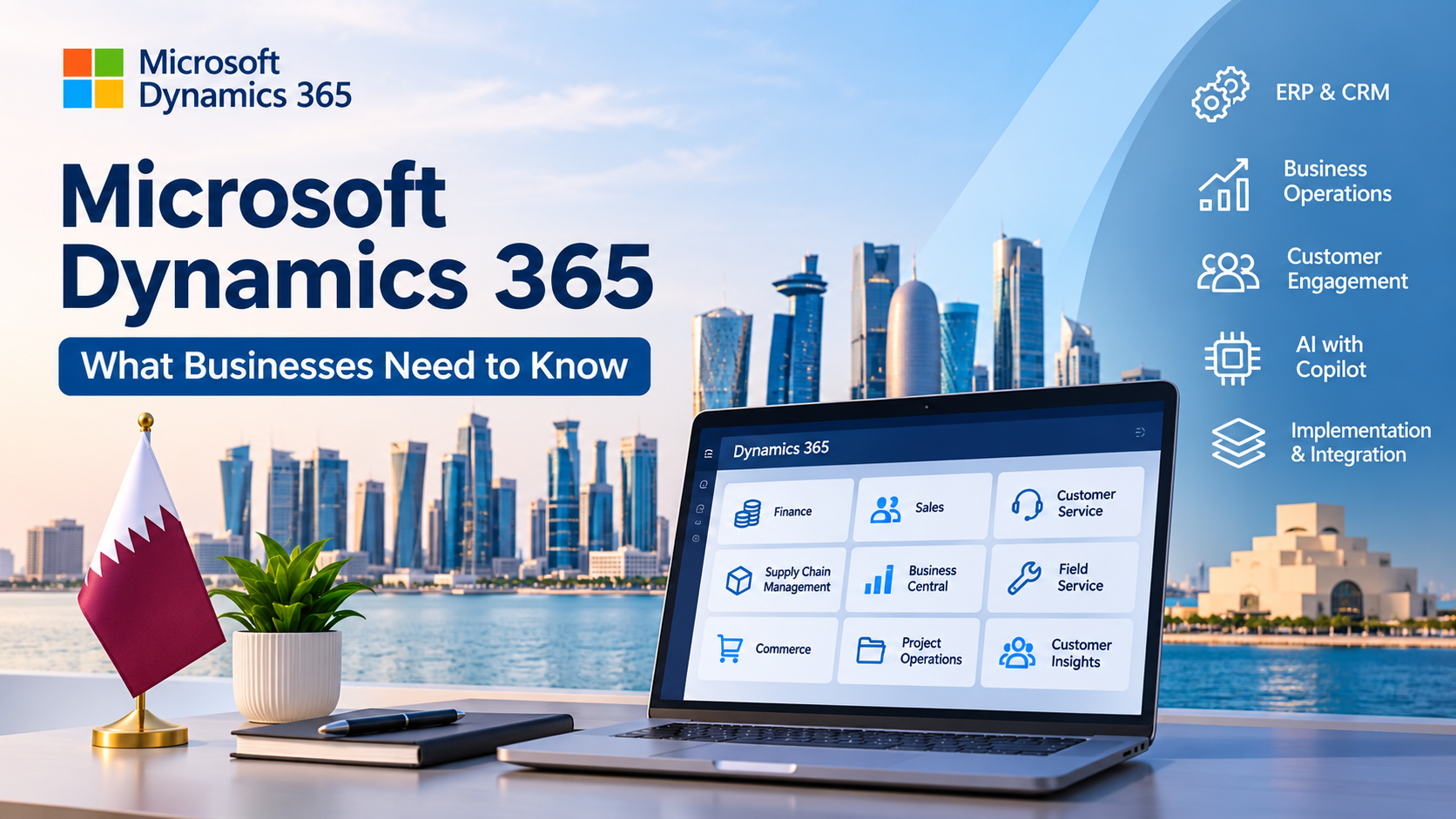
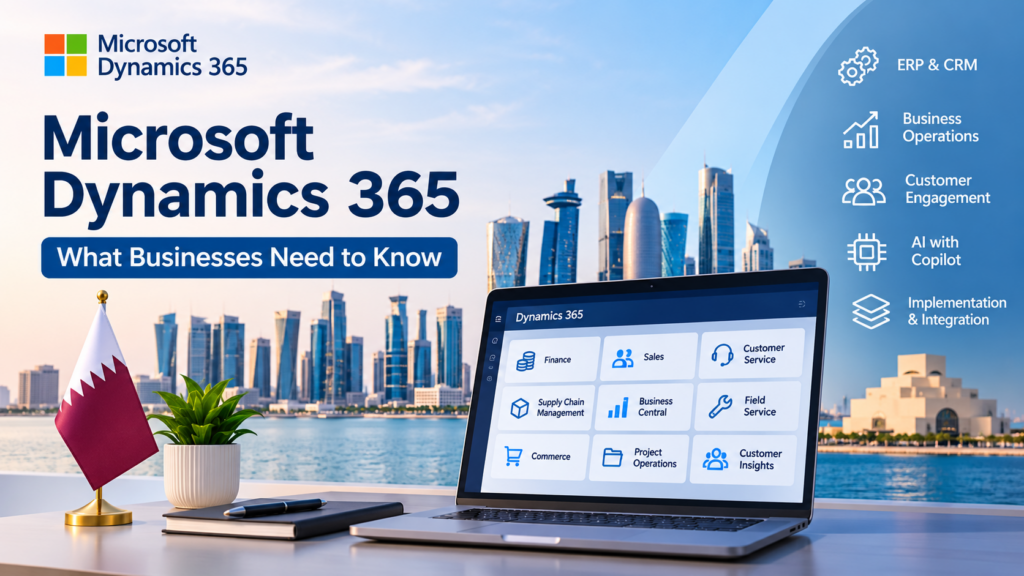
Microsoft Dynamics 365 addresses these challenges through an integrated portfolio of enterprise resource planning (ERP) and customer relationship management (CRM) applications. It connects business functions, supports process automation, and gives organizations better visibility into financial and operational activities.
For businesses in Qatar, these capabilities can support complex operations across construction, manufacturing, retail, logistics, energy, and professional services. Organizations can select individual applications based on their requirements and connect them as their operations expand.
However, selecting the right applications requires more than understanding their features. Businesses must evaluate their existing systems, operational processes, integration requirements, and long-term objectives.
This guide explains what Microsoft Dynamics 365 offers, how its applications work, which businesses can benefit from the platform, and what organizations should consider before implementation.
What Is Microsoft Dynamics 365?
Microsoft Dynamics 365 is a portfolio of cloud-based business applications that combines ERP, CRM, and other enterprise management capabilities. It helps organizations manage financial operations, customer relationships, sales activities, supply chains, projects, and other business processes.
The platform includes applications designed for specific business functions. Organizations can deploy individual applications or combine multiple solutions to create a connected business environment.
For example, a company can use Dynamics 365 Sales to manage leads and customer relationships, Dynamics 365 Finance to oversee financial operations, and Dynamics 365 Supply Chain Management to coordinate procurement, inventory, and warehouse activities.
These applications can work together and integrate with other Microsoft technologies, including Microsoft 365, Azure, Power Platform, and Power BI.
The platform also supports different business requirements through application-specific capabilities, licensing models, and integration options.
For businesses evaluating ERP solutions in Qatar, Microsoft Dynamics 365 offers a flexible approach to connecting enterprise applications without requiring every department to adopt the same software module.
Microsoft Dynamics 365 ERP vs. CRM: Understanding the Difference
ERP and CRM systems address different business requirements. ERP software focuses on internal operations, while CRM software helps organizations manage customer relationships and interactions.
Microsoft Dynamics 365 includes applications for both areas, allowing businesses to connect internal processes with customer-facing activities.
What Is ERP Software?
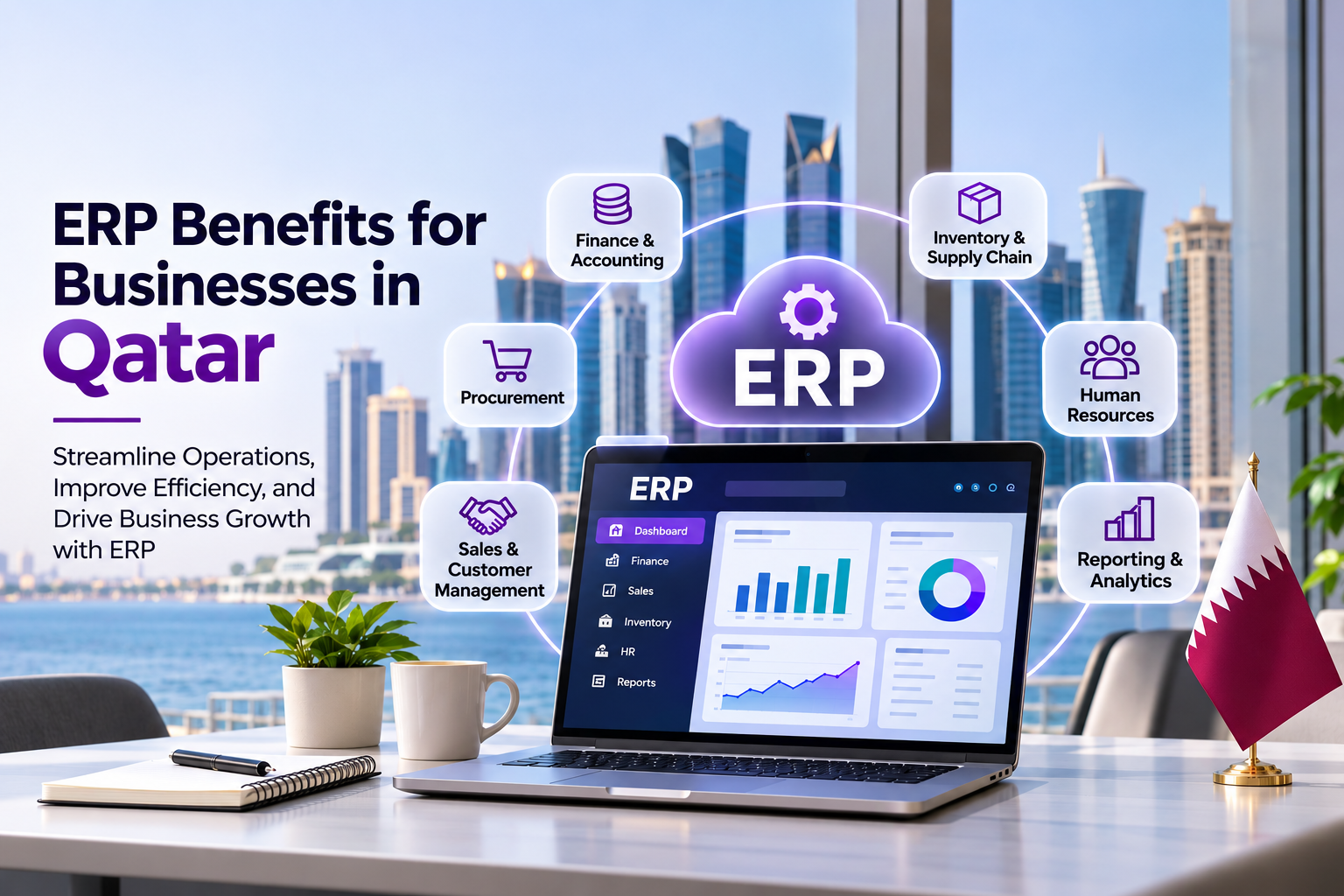
Enterprise Resource Planning (ERP) software connects essential business processes through an integrated management system.
An ERP solution helps organizations manage:
- Financial management and accounting.
- Procurement and purchasing.
- Inventory and warehouse operations.
- Supply chain management.
- Production planning.
- Project financial management.
- Operational reporting.
Consider a construction company in Qatar that manages several projects across different locations. Its finance department needs accurate project cost information, procurement teams need visibility into supplier orders, and project managers need updates on budgets and resources.
An integrated ERP environment can connect these activities and help management monitor project performance.
What Is CRM Software?
Customer Relationship Management (CRM) software helps businesses organize customer information, manage sales activities, and improve customer engagement.
Common CRM capabilities include:
- Lead and opportunity management.
- Sales pipeline tracking.
- Customer communication history.
- Marketing campaign management.
- Customer service operations.
- Sales forecasting.
- Customer data analysis.
For example, a B2B technology company can use CRM software to track prospective clients, record sales conversations, monitor proposals, and coordinate follow-up activities.
ERP vs. CRM: Key Differences
| Comparison | ERP | CRM |
| Primary purpose | Manage internal business operations | Manage customer relationships |
| Main users | Finance, procurement, operations, and supply chain teams | Sales, marketing, and customer service teams |
| Financial management | Core business functionality | Connected or limited financial functionality |
| Inventory management | Supports inventory and warehouse processes | Usually handled through integration |
| Sales management | Supports orders and business transactions | Manages leads and opportunities |
| Customer service | Supports operational processes | Manages customer interactions and service cases |
| Reporting | Financial and operational performance | Sales and customer performance |
Microsoft Dynamics 365 connects these capabilities through applications designed for different organizational needs.
Key Microsoft Dynamics 365 Applications Businesses Should Know
Microsoft Dynamics 365 includes multiple applications for enterprise management, customer engagement, and business operations. Each application serves a different purpose, so organizations should select solutions according to their processes and requirements.
1. Dynamics 365 Finance
Dynamics 365 Finance helps organizations manage accounting, financial planning, reporting, and financial controls.
Its capabilities include:
- General ledger management.
- Accounts payable and receivable.
- Budget planning.
- Cash flow management.
- Financial reporting.
- Expense management.
- Financial consolidation.
- Financial performance analysis.
Large organizations can use Dynamics 365 Finance to improve financial visibility across business units and legal entities.
For example, a company with multiple operations in Qatar can use financial management capabilities to coordinate accounting activities, review financial performance, and support budgeting decisions.
2. Dynamics 365 Sales
Dynamics 365 Sales helps sales teams manage customer relationships and organize their sales processes.
Key capabilities include:
- Lead and opportunity management.
- Sales pipeline tracking.
- Account and contact management.
- Sales forecasting.
- Customer interaction history.
- Sales performance reporting.
- AI-assisted sales activities.
A B2B company can use Dynamics 365 Sales to monitor prospective customers from the initial enquiry through proposal preparation and deal closure.
Sales managers can also review pipeline performance and identify opportunities that require additional attention.
3. Dynamics 365 Customer Service
Dynamics 365 Customer Service helps organizations manage customer support operations and service requests.
Its capabilities include:
- Case management.
- Customer support workflows.
- Knowledge management.
- Service analytics.
- Omnichannel customer engagement.
- Automated case routing.
- AI-assisted service operations.
For example, a telecommunications provider can use customer service applications to organize support requests, track unresolved cases, and improve coordination between service representatives.
4. Dynamics 365 Supply Chain Management
Dynamics 365 Supply Chain Management supports procurement, inventory, manufacturing, and warehouse operations.
Its capabilities include:
- Inventory management.
- Demand forecasting.
- Procurement management.
- Warehouse management.
- Production planning.
- Order fulfillment.
- Supply chain planning.
- Supplier coordination.
A manufacturing company can use these capabilities to monitor raw materials, coordinate purchasing activities, manage production schedules, and maintain visibility into inventory levels.
5. Dynamics 365 Business Central
Dynamics 365 Business Central provides integrated business management capabilities for small and medium-sized businesses.
It connects financial management, sales, purchasing, inventory, and operational processes within one application.
Its features include:
- Accounting and financial management.
- Sales and purchasing management.
- Inventory tracking.
- Project management.
- Financial reporting.
- Supply chain-related processes.
- Business performance analysis.
Business Central can help growing organizations replace disconnected accounting and operational tools with an integrated management system.
6. Dynamics 365 Project Operations
Dynamics 365 Project Operations helps project-based organizations coordinate project planning, resource management, delivery, and financial activities.
Its capabilities include:
- Project planning.
- Resource scheduling.
- Time and expense management.
- Project costing.
- Project financial management.
- Project performance reporting.
Engineering companies, consulting firms, and professional service providers can use these capabilities to connect project delivery with financial management.
7. Dynamics 365 Field Service
Dynamics 365 Field Service helps organizations coordinate field operations, maintenance activities, and customer service visits.
Important capabilities include:
- Work order management.
- Technician scheduling.
- Resource allocation.
- Asset maintenance.
- Field service reporting.
- Mobile workforce management.
- Connected service operations.
For example, an equipment maintenance company in Qatar can use Field Service to schedule technicians, assign work orders, monitor service activities, and maintain equipment service records.
This application can be particularly relevant to energy, facilities management, utilities, and industrial service providers.
8. Dynamics 365 Commerce
Dynamics 365 Commerce supports retail operations and connected shopping experiences across physical and digital channels.
Its capabilities include:
- Retail store management.
- Point-of-sale operations.
- Product and pricing management.
- Inventory visibility.
- Order management.
- Customer engagement.
- Omnichannel commerce.
Retail businesses can use Commerce to coordinate store operations, online sales, inventory information, and customer purchasing activities.
9. Dynamics 365 Customer Insights
Dynamics 365 Customer Insights helps organizations understand customer information and develop more personalized engagement strategies.
Its two main areas are Customer Insights – Data and Customer Insights – Journeys.
Customer Insights – Data helps organizations unify customer information from different sources and develop a more comprehensive customer profile.
Customer Insights – Journeys supports personalized customer engagement through data-driven marketing and journey orchestration.
These capabilities can help retailers, financial service providers, and other customer-focused businesses improve their understanding of customer behavior.
Dynamics 365 Business Central vs. Dynamics 365 Finance: Which Should You Choose?
Business Central and Finance both support financial management, but they address different organizational requirements.
Business Central is generally suited to small and medium-sized businesses that need integrated financial and operational management.
Dynamics 365 Finance is designed for organizations with more complex financial management, reporting, and enterprise requirements.
Key Differences
| Comparison | Dynamics 365 Business Central | Dynamics 365 Finance |
| Typical business | Small and medium-sized organizations | Midmarket and large enterprises with complex requirements |
| Primary focus | Integrated business management | Enterprise financial management |
| Accounting | General financial management | Advanced financial management and controls |
| Operations | Sales, purchasing, inventory, and projects | Complex enterprise financial processes |
| Organizational structure | Generally more focused requirements | Supports complex organizational and legal entity structures |
| Implementation | Often a more focused implementation | Often requires broader enterprise planning |
| Scalability | Supports growing business requirements | Supports complex enterprise operations |
When Should You Choose Business Central?
Business Central may be suitable if your organization:
- Needs integrated accounting and financial management.
- Manages relatively straightforward purchasing and inventory processes.
- Wants to replace separate accounting and business management tools.
- Needs connected sales and operational information.
- Requires a business management solution for a growing organization.
When Should You Choose Dynamics 365 Finance?
Dynamics 365 Finance may be a better fit if your organization:
- Manages multiple legal entities or complex financial structures.
- Requires advanced financial controls and reporting.
- Operates across multiple business units.
- Needs more extensive financial management capabilities.
- Requires integration with broader enterprise applications.
The right choice depends on business processes, organizational complexity, licensing, integration requirements, and future growth plans. Company size alone should not determine the application selection.
Benefits of Microsoft Dynamics 365 for Business Operations
An integrated enterprise application environment can help organizations improve operational coordination and gain better control over business information.
Microsoft Dynamics 365 supports these objectives through connected applications, reporting capabilities, and workflow automation.
1. Centralized Business Information
Disconnected applications often create inconsistent records across departments.
For example, sales teams may maintain separate customer information from finance departments, while inventory teams use independent stock records.
Dynamics 365 can connect relevant business information across supported applications.
This helps employees access consistent records, reduce duplicate data entry, and coordinate departmental activities.
2. Improved Operational Efficiency
Manual processes can slow down business operations and increase the likelihood of errors.
Dynamics 365 supports configurable workflows and business process automation across different applications.
Organizations can automate activities such as:
- Purchase approval workflows.
- Sales notifications.
- Customer service case routing.
- Financial approval processes.
- Inventory-related alerts.
- Business record updates.
Power Automate can also connect Dynamics 365 with other supported applications and services to extend workflow automation.
3. Better Financial Visibility
Financial managers need reliable information to evaluate business performance and control spending.
Dynamics 365 Finance and Business Central provide financial management and reporting capabilities that help organizations monitor transactions, review budgets, and evaluate financial results.
Businesses can also use Power BI to create dashboards and analyze financial and operational data.
4. Stronger Customer Relationships
Customer information becomes more useful when sales, marketing, and service teams can access relevant records.
Dynamics 365 CRM applications help organizations maintain customer histories, monitor sales opportunities, and coordinate service activities.
These capabilities support more consistent customer interactions across different departments.
5. Data-Driven Decision-Making
Business decisions require accurate and accessible information.
Microsoft Dynamics 365 can connect with Power BI to support dashboards, visual reports, and business intelligence.
Management teams can analyze:
- Sales performance.
- Financial results.
- Inventory levels.
- Procurement activities.
- Customer service performance.
- Operational trends.
The quality of these insights depends on accurate data, appropriate reporting design, and suitable system configuration.
6. Scalable Business Management
Organizations often require additional business applications as their operations expand.
Dynamics 365 offers a modular application portfolio that allows businesses to introduce additional capabilities according to their requirements.
However, expansion requires proper planning for licensing, data architecture, integrations, security, and user adoption.
How Microsoft Copilot and AI Work in Dynamics 365
Artificial intelligence is becoming an important part of enterprise business applications. Microsoft integrates Copilot experiences, AI-assisted features, and intelligent agents across selected Dynamics 365 applications.
These capabilities can help employees access information, prepare business content, summarize records, and automate selected tasks.
Real-World Uses of Copilot in Dynamics 365
Sales opportunity preparation
Sales professionals can use supported Copilot capabilities to summarize customer records, review opportunity information, and prepare for sales interactions.
Customer service assistance
Customer service representatives can use AI-assisted features to summarize cases, review relevant information, and prepare suggested responses.
Financial operations
Selected finance capabilities can support financial analysis, collections-related activities, and other finance workflows. Available features depend on the application and supported configuration.
Supply chain planning
AI-assisted forecasting and analytical capabilities can help organizations evaluate demand, monitor supply chain conditions, and identify potential operational issues.
Business Central assistance
Business Central includes AI-powered capabilities that can assist with selected financial and operational tasks, depending on the feature, configuration, and subscription.
What Businesses Should Know Before Adopting AI
AI capabilities are not identical across all Dynamics 365 applications.
Availability may depend on:
- The specific Dynamics 365 application.
- Subscription and licensing requirements.
- Geographic availability.
- Language support.
- Data access and permissions.
- Administrative configuration.
- Microsoft Copilot or AI service prerequisites.
Organizations should review Microsoft’s current product documentation before including AI features in their implementation scope.
AI-generated recommendations should also remain subject to appropriate business controls and human review.
Microsoft Dynamics 365 Integration with Microsoft 365 and Power Platform
An important advantage of the Microsoft ecosystem is its ability to connect business applications with productivity, automation, analytics, and cloud services.
Dynamics 365 can integrate with different Microsoft technologies, although the technical approach varies by application.
Microsoft 365
Organizations can connect supported Dynamics 365 applications with Microsoft 365 tools to support collaboration and productivity.
For example, sales teams can work with customer information and supported Outlook integration features, while employees can use relevant Microsoft applications to share information and coordinate activities.
Microsoft Power Platform
Power Platform extends business application capabilities through low-code tools.
Its main components include:
- Power Apps: Build business applications and extend selected workflows.
- Power Automate: Automate repetitive tasks and connect business processes.
- Power BI: Create interactive dashboards and analyze business information.
- Microsoft Dataverse: Store and manage business data for supported Power Platform and Dynamics 365 applications.
Dynamics 365 applications do not all use identical data architectures. For example, many customer engagement applications use Dataverse, while Finance and Supply Chain Management use their own application and data architecture.
This distinction matters when planning enterprise integrations and data flows.
Microsoft Azure
Azure provides cloud infrastructure and services that can support enterprise application integrations, identity management, data processing, and other technical requirements.
Businesses can use suitable Azure services to connect Dynamics 365 with existing applications and enterprise systems.
Third-Party Business Applications
Organizations may also need to connect Dynamics 365 with external systems such as:
- Payment gateways.
- E-commerce platforms.
- Warehouse management systems.
- Business intelligence tools.
- HR management applications.
- Customer-facing portals.
- Legacy ERP and CRM platforms.
Integration methods can include APIs, connectors, middleware, and application-specific integration services.
A proper integration strategy should account for data consistency, authentication, security, error handling, and ongoing maintenance.
Microsoft Dynamics 365 Use Cases Across Industries in Qatar
Businesses across Qatar operate in different commercial environments, each with specific financial, operational, and customer management requirements.
The following examples illustrate how Dynamics 365 applications could support common industry workflows.
Construction and Real Estate
Construction companies manage project budgets, supplier relationships, procurement, resources, and financial commitments.
A company managing several construction projects could use Dynamics 365 Finance and Project Operations to coordinate project financial information, resource planning, and operational reporting.
Supply Chain Management could support procurement and inventory processes where the selected solution meets the organization’s requirements.
Retail and E-Commerce
Retail businesses need accurate inventory information, coordinated sales channels, customer records, and financial reporting.
Dynamics 365 Commerce can support retail and omnichannel operations, while Customer Insights can help organizations develop a more comprehensive understanding of customer information.
Integration with relevant e-commerce platforms and payment systems may further connect online and physical retail activities.
Manufacturing
Manufacturers need visibility into raw materials, production schedules, procurement, and inventory.
Dynamics 365 Supply Chain Management can help coordinate these processes and support production planning.
Finance can connect relevant operational activities with financial reporting and management.
Logistics and Transportation
Logistics organizations coordinate warehouse operations, procurement, inventory, and order fulfillment.
Supply Chain Management can support inventory and warehouse processes, while suitable integrations can connect other transportation and logistics systems.
For businesses that manage field-based assets or service teams, Dynamics 365 Field Service may also support maintenance and work order management.
Energy and Oil and Gas
Energy businesses often manage complex procurement, financial operations, equipment maintenance, and supplier relationships.
Dynamics 365 Finance, Supply Chain Management, and Field Service can support selected business processes depending on the organization’s operational architecture.
A suitable implementation must account for existing industrial systems, asset management requirements, and operational technology integrations.
Healthcare
Healthcare organizations manage administrative operations, purchasing, financial processes, and service coordination.
Dynamics 365 applications can support relevant business management activities. Clinical systems, electronic health records, and specialized patient management solutions may require separate platforms and carefully planned integrations.
Microsoft Dynamics 365 Implementation: What Businesses Should Expect
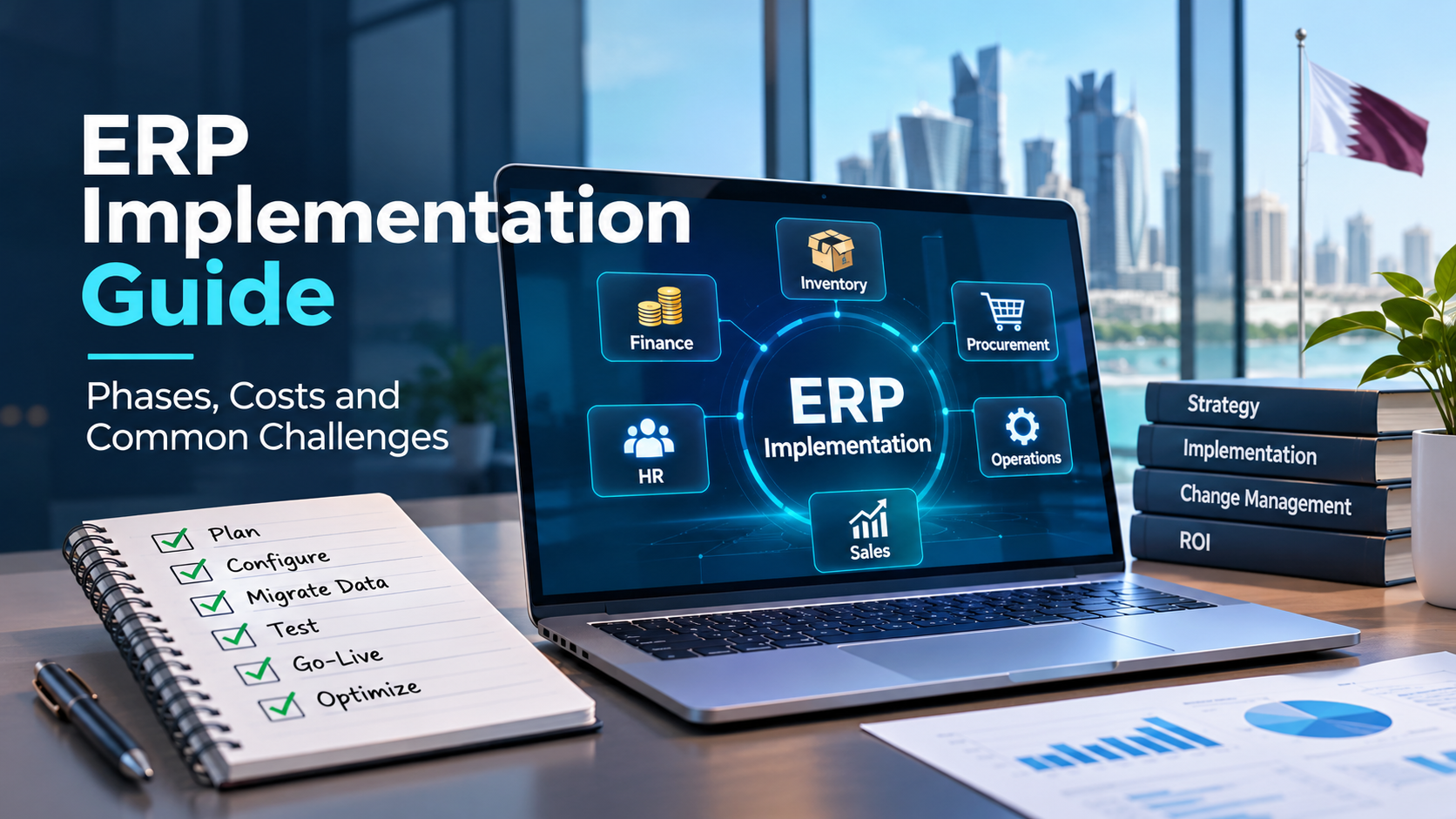
Successful implementation requires more than software installation. Organizations must evaluate their existing business processes, define requirements, prepare data, configure applications, and train employees.
A structured implementation approach helps reduce technical complexity and operational disruption.
Step 1: Business Requirements Assessment
The implementation process begins with an assessment of existing business operations.
The team should review:
- Current ERP and CRM applications.
- Financial and operational workflows.
- Departmental requirements.
- Reporting needs.
- Integration dependencies.
- Data security requirements.
- Future business objectives.
This assessment helps determine which Dynamics 365 applications are appropriate.
Step 2: Solution Planning and Architecture
The next stage involves selecting suitable applications and defining the technical architecture.
The implementation team establishes:
- Required application modules.
- Business process configurations.
- Data architecture.
- Integration requirements.
- Security and access controls.
- Migration strategy.
- Implementation milestones.
The architecture should support both current operations and future business requirements.
Step 3: Configuration and Customization
Dynamics 365 applications must be configured according to organizational processes.
This stage may include:
- User roles and permissions.
- Financial configurations.
- Business workflows.
- Approval processes.
- Dashboards and reports.
- Application-specific settings.
- Required extensions or customizations.
Organizations should prioritize standard application capabilities wherever possible. Custom development should address genuine business requirements rather than reproduce every limitation of an older system.
Step 4: Data Migration and System Integration
Data migration transfers relevant business records from existing systems into the new environment.
The process should include data assessment, cleansing, mapping, validation, and migration testing.
The team may also need to integrate Dynamics 365 with external applications, legacy databases, payment platforms, and reporting systems.
Step 5: Testing and Employee Training
Testing confirms that applications support the agreed business processes.
Important testing activities include:
- Functional testing.
- Integration testing.
- Data validation.
- Security and permission testing.
- User acceptance testing.
- Reporting verification.
- Performance testing where appropriate.
Employee training helps users understand their responsibilities and adopt the new system.
Step 6: Deployment and Ongoing Support
The final stage involves deploying the approved solution into the production environment.
After deployment, organizations need technical support, system monitoring, user assistance, security reviews, and ongoing improvements.
A post-implementation support plan helps businesses maintain system performance and adapt to changing operational requirements.
Common Microsoft Dynamics 365 Implementation Challenges
Even a well-planned ERP or CRM project can encounter challenges. Organizations should identify potential risks before deployment and establish appropriate controls.
1. Legacy Data Migration
Older systems may contain duplicate records, inconsistent formats, incomplete information, or outdated customer details.
Recommended approach: Assess data quality before migration. Establish data ownership, cleansing procedures, field mapping, and validation rules.
2. Integration with Existing Applications
Businesses may rely on accounting software, e-commerce platforms, HR systems, or custom applications that need to exchange information with Dynamics 365.
Recommended approach: Document integration dependencies and define suitable APIs, connectors, middleware, and data synchronization methods before development begins.
3. User Permissions and Security
Different employees require different levels of access to business information.
Recommended approach: Establish role-based access controls, apply least-privilege principles, and review security permissions before production deployment.
4. Customization Complexity
Excessive customization can increase implementation costs and make future upgrades or maintenance more difficult.
Recommended approach: Prioritize standard application functionality and use supported extensions or custom development only when business requirements justify them.
5. Employee Adoption
Employees may struggle to adapt to new workflows, particularly when they have used older systems for several years.
Recommended approach: Involve department representatives during requirements gathering, provide role-specific training, and establish post-launch support.
6. Reporting and Data Consistency
Different applications may use separate data models, reporting structures, and update schedules.
Recommended approach: Define reporting requirements, establish data ownership, and validate information flows across integrated systems.
7. Licensing and Ongoing Costs
Businesses may underestimate subscription, integration, storage, training, and maintenance expenses.
Recommended approach: Review application-specific licensing requirements and prepare a total cost of ownership estimate before finalizing the implementation scope.
How Much Does Microsoft Dynamics 365 Cost?
Microsoft Dynamics 365 pricing depends on the applications selected, licensing arrangements, number of users or devices, and implementation requirements.
Microsoft offers different licensing models across its Dynamics 365 portfolio. These can include user-based, device-based, and tenant-based licenses, depending on the application and applicable licensing terms.
The overall investment may include:
| Cost Component | What It Covers |
| Software licensing | Subscriptions for selected Dynamics 365 applications |
| Implementation | Discovery, configuration, deployment, and project management |
| Customization | Required extensions, workflows, and business-specific functionality |
| Data migration | Data assessment, cleansing, mapping, and transfer |
| System integration | Connections with existing business applications |
| Training | Employee onboarding and user education |
| Ongoing support | Maintenance, monitoring, and technical assistance |
The final cost depends on the organization’s business processes, implementation complexity, integration requirements, and long-term support needs.
For an accurate estimate, businesses should evaluate the required applications and licensing arrangements rather than rely on a single platform-wide price.
Microsoft’s official Dynamics 365 licensing guidance provides further information about licensing models and application-specific requirements.
How to Choose the Right Microsoft Dynamics 365 Implementation Partner
Selecting an implementation partner is an important decision because technical configuration, data migration, integration, and employee adoption all affect the success of an ERP or CRM project.
Businesses in Qatar should evaluate potential partners against the following criteria.
1. Microsoft Dynamics 365 expertise
Evaluate the provider’s understanding of relevant applications, enterprise workflows, and technical requirements.
2. Business process knowledge
A capable implementation team should understand your existing operations before recommending applications or customization.
3. Integration capabilities
Review the provider’s experience connecting Dynamics 365 with Microsoft technologies, legacy applications, databases, and third-party platforms.
4. Data migration experience
Ask how the team handles data quality, migration planning, validation, and security.
5. Customization and development
Evaluate its ability to configure workflows and extend application functionality without introducing unnecessary technical complexity.
6. Security and compliance
Discuss user permissions, access management, data protection, and applicable regulatory requirements.
7. Post-implementation support
Confirm the availability of technical support, maintenance, employee assistance, and future optimization.
8. Clear project planning
A reliable implementation partner should explain the project scope, deliverables, responsibilities, milestones, and estimated costs.
Businesses should also request a detailed solution proposal that connects the recommended applications with specific operational requirements.
Is Microsoft Dynamics 365 Right for Your Business?
Microsoft Dynamics 365 can be a suitable option for organizations that want to improve operational coordination, manage customer relationships, and connect financial and business processes.
However, the platform is not automatically the right choice for every organization.
Consider Dynamics 365 if your business:
- Uses separate applications for finance, sales, and operations.
- Struggles with inconsistent business information.
- Needs better financial and operational reporting.
- Wants to automate repetitive business processes.
- Requires more structured customer relationship management.
- Plans to replace an outdated ERP or CRM platform.
- Needs integrated enterprise applications to support business growth.
Smaller businesses with straightforward requirements may benefit from Business Central, while larger organizations with complex financial and operational requirements may need Dynamics 365 Finance, Supply Chain Management, or a combination of applications.
The selection process should begin with a detailed assessment of business needs, existing technology, implementation requirements, and future objectives.
Conclusion
Microsoft Dynamics 365 provides a connected portfolio of ERP and CRM applications that helps organizations manage finance, sales, customer service, supply chain operations, projects, and other business functions.
Its modular structure allows businesses to select suitable applications and expand their technology environment as operational requirements evolve. Integration with Microsoft 365, Azure, and Power Platform also creates opportunities for better collaboration, workflow automation, and business intelligence.
For organizations in Qatar, successful implementation requires careful application selection, reliable data migration, secure integrations, effective employee training, and ongoing technical support.
Inspire Technology helps businesses evaluate, implement, customize, and integrate enterprise technology solutions according to their operational requirements.
Explore our Microsoft Dynamics 365 services in Qatar to discuss your business requirements and identify a suitable approach to enterprise application implementation.
Frequently Asked Questions About Microsoft Dynamics 365
1. What is Microsoft Dynamics 365 used for?
Microsoft Dynamics 365 helps organizations manage financial operations, sales, customer relationships, supply chains, inventory, projects, and other business processes through connected enterprise applications.
2. Is Microsoft Dynamics 365 an ERP or CRM?
Microsoft Dynamics 365 includes both ERP and CRM applications. ERP solutions support internal processes such as finance and supply chain management, while CRM applications support sales, marketing, and customer service.
3. Is Microsoft Dynamics 365 suitable for small businesses?
Yes. Dynamics 365 Business Central provides integrated financial and operational management capabilities for small and medium-sized businesses.
4. What is the difference between Dynamics 365 Business Central and Finance?
Business Central focuses on integrated business management for small and medium-sized organizations. Dynamics 365 Finance supports more complex enterprise financial management requirements.
5. Can Microsoft Dynamics 365 integrate with other business software?
Yes. Dynamics 365 supports integrations with Microsoft applications, Power Platform, APIs, connectors, and third-party business systems. The integration method depends on the applications and technical requirements.
6. Does Microsoft Dynamics 365 include AI capabilities?
Selected Dynamics 365 applications include Microsoft Copilot, AI-assisted features, and intelligent agents. Available capabilities depend on the application, licensing, configuration, and geographic availability.
7. How long does Microsoft Dynamics 365 implementation take?
Implementation timelines depend on the number of applications, business complexity, data migration, customization, integrations, and employee training requirements. A discovery assessment helps establish a realistic project schedule.
8. How much does Microsoft Dynamics 365 cost?
Costs depend on application subscriptions, user or device licensing, implementation scope, integrations, customization, training, and ongoing support. Businesses should request an estimate based on their actual requirements.
9. Can businesses in Qatar use Microsoft Dynamics 365?
Yes. Organizations in Qatar can evaluate and implement suitable Dynamics 365 applications based on their business requirements, licensing arrangements, integration needs, and applicable regulatory obligations.
10. Why should a business work with a Dynamics 365 implementation partner?
An experienced implementation partner can help assess business requirements, select applications, configure workflows, migrate data, integrate existing systems, train employees, and provide ongoing technical support.