
Modern businesses rely on customer relationship management (CRM) software, enterprise resource planning (ERP) platforms, accounting tools, e-commerce applications, and cloud databases to manage daily operations. However, these systems often store information separately. Teams may need to transfer records manually, reconcile inconsistent reports, or wait for updates before they can make decisions.
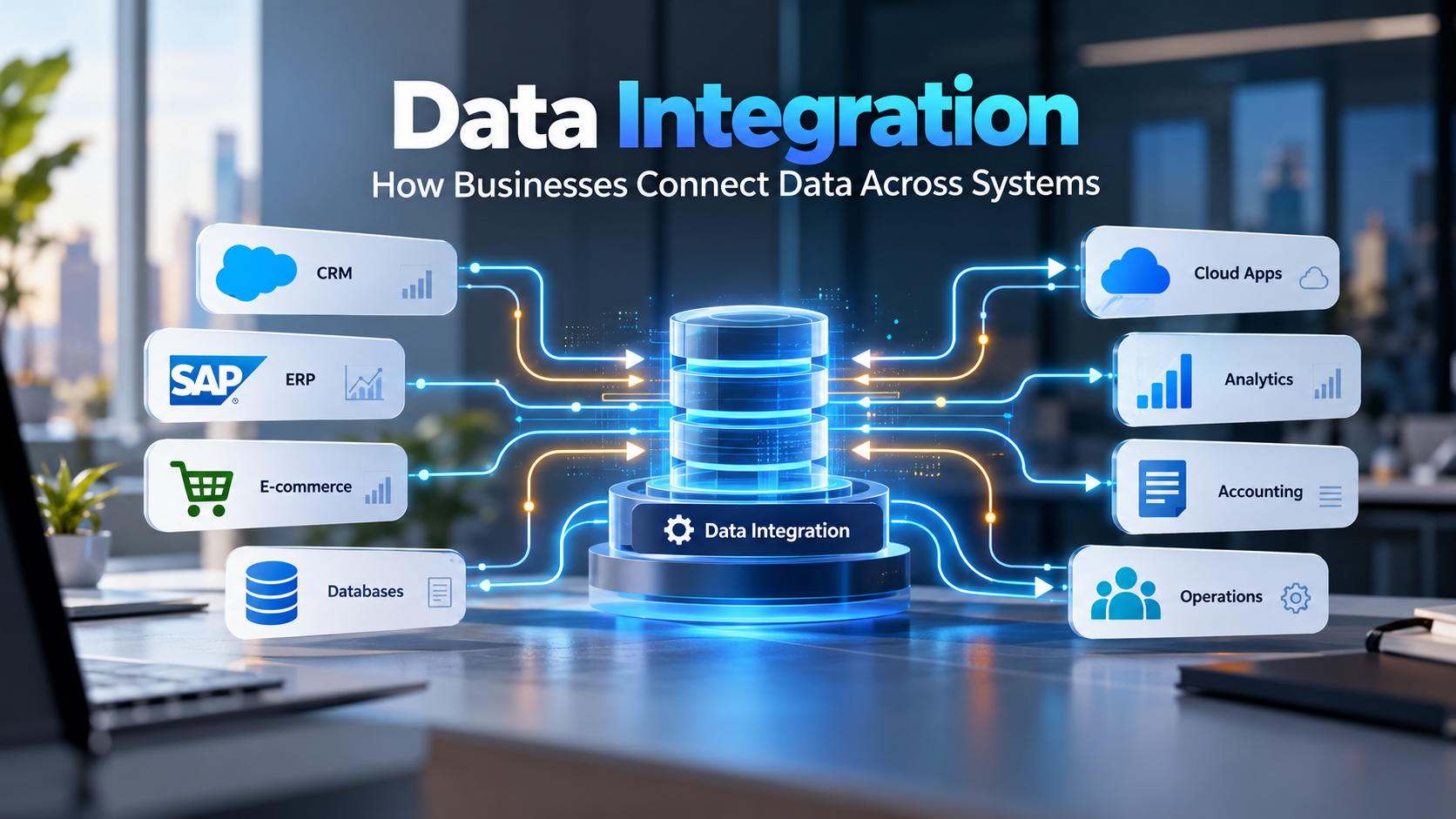
Data integration connects different applications, databases, and data sources so businesses can exchange, combine, and use information consistently. It helps organisations automate data flows, reduce repetitive work, improve reporting, and coordinate processes across departments.
For example, an online order can trigger an inventory update, create a financial record, and notify the fulfilment team through connected applications. Employees no longer need to enter the same information into multiple systems when the integration supports those workflows.
Successful data integration requires more than connecting two applications. Businesses must also consider data quality, system compatibility, security, synchronisation, error handling, and long-term maintenance.
What Is Data Integration and How Does It Work?
Data integration is the process of collecting, combining, transforming, and delivering information from multiple sources so applications and users can work with it effectively. It can connect operational software, databases, cloud services, external data sources, and analytical platforms through APIs, connectors, middleware, and data pipelines.
The main objective is to make relevant information available where the business needs it while maintaining appropriate data quality, access controls, and processing rules.
Consider a business that uses a CRM for customer records, an ERP system for inventory, and accounting software for invoices. Without integration, employees may need to update customer details or order information in several applications. A suitable integration workflow can transfer approved updates between these systems automatically.
How Does a Data Integration Workflow Operate?
A typical data integration workflow follows five stages:
- Identify data sources: Determine which applications, databases, or external systems contain the required information.
- Extract or receive data: Retrieve records through APIs, connectors, scheduled transfers, or event-driven updates.
- Map and transform data: Convert fields, formats, identifiers, and values into structures the destination system can process.
- Validate and deliver data: Check records against business rules before synchronising them with another application or loading them into a data repository.
- Monitor the integration: Track processing errors, delayed updates, duplicate records, and failed transfers.
The exact workflow depends on the architecture. An application integration may transfer a single order between systems, whereas an analytical pipeline may process large datasets from several sources.
Why Do Businesses Need Data Integration?
Data integration helps businesses address disconnected workflows, inconsistent records, delayed reporting, and repetitive manual processes. Its value depends on the systems involved and how effectively the integration supports operational requirements.
Eliminate data silos across departments
A data silo occurs when information remains isolated within an application, department, or database. Sales teams may maintain customer records in a CRM, finance may store payment information separately, and operations may rely on a different inventory report.
Integration allows authorised teams to access relevant information across these environments. It also helps businesses combine records for consolidated reporting and cross-departmental analysis.
Reduce manual data entry and repetitive tasks
Manual data transfers can introduce typing errors, duplicate records, missed updates, and processing delays. Automated integrations can transfer information when a defined event occurs or according to a scheduled process.
For example, an approved order can trigger inventory processing, invoice creation, and a fulfilment notification. The exact steps depend on the connected systems and the business rules configured for the workflow.
Improve reporting and business intelligence
Business leaders often need information from several systems to assess performance. Sales data may sit in a CRM, financial transactions in accounting software, and operational records in an ERP platform.
Data integration can bring these sources together for consolidated reporting. Teams can compare business performance, investigate discrepancies, and analyse results using a more complete dataset.
Support scalable digital operations
As businesses add applications, locations, sales channels, and departments, manual processes become harder to maintain. A well-planned integration architecture establishes reusable connections, consistent data rules, and documented workflows.
These foundations help businesses introduce additional systems without rebuilding every existing connection from scratch.
Improve the customer experience
Customers expect accurate order updates, consistent account information, and coordinated support. Connected applications help teams access relevant records without repeatedly requesting information from customers.
For example, a support representative may retrieve order details from an integrated commerce platform while the fulfilment team accesses the same order through its operational system.
Integration alone does not guarantee better data quality or customer service. Source records, validation rules, permissions, and business processes must also be reliable.
What Are the Main Types of Data Integration?
The main types of data integration include application integration, database integration, API-based integration, ETL and ELT pipelines, and real-time or batch processing. Businesses choose an approach based on their applications, data volume, update frequency, analytical requirements, and operational constraints.
Application integration
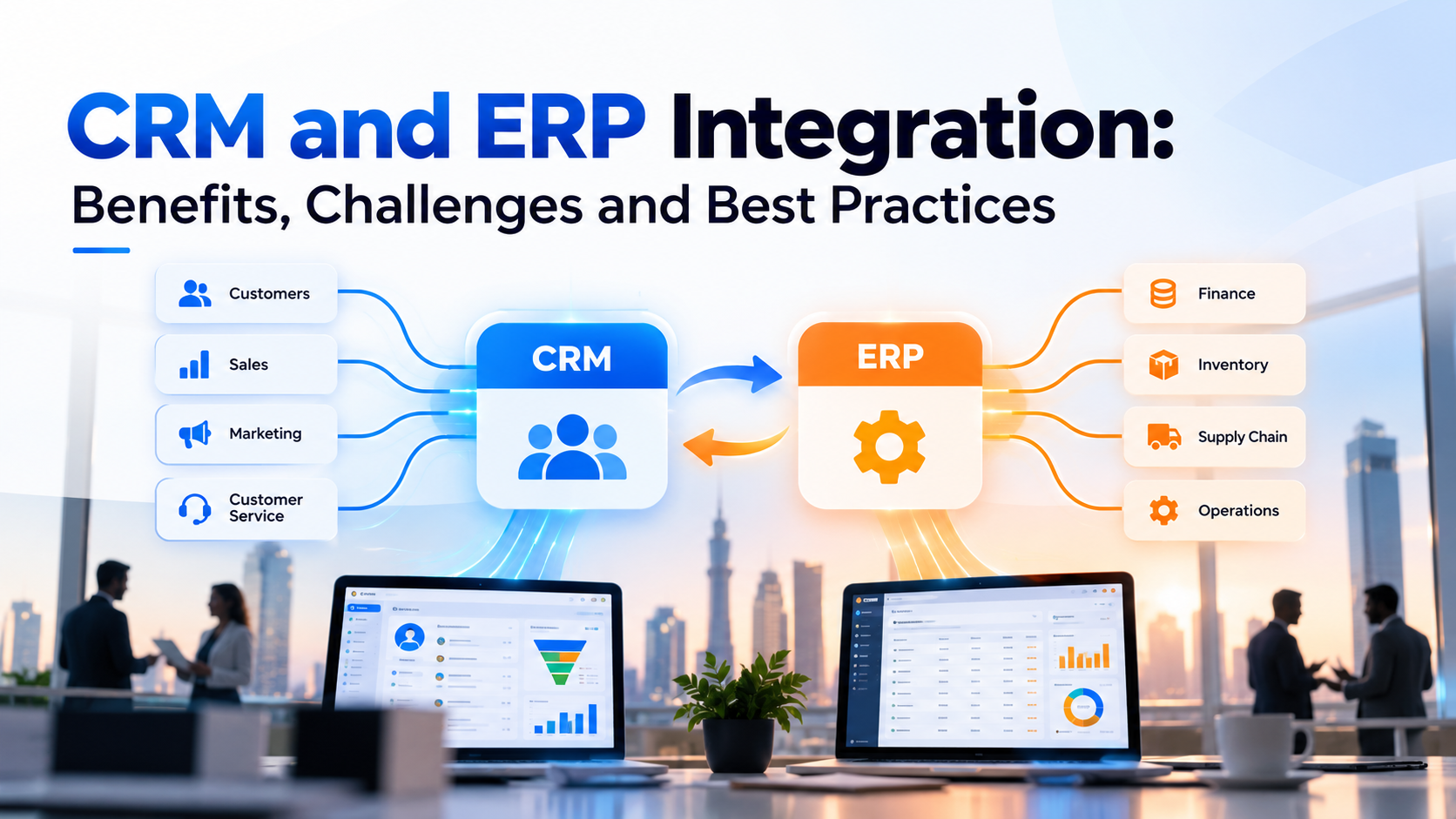
Application integration connects software platforms so they can exchange information and coordinate workflows. Common examples include CRM and ERP integration, e-commerce integration, accounting connections, and customer service integrations.
For example, a connected CRM and ERP environment can help sales teams access relevant order information while finance teams process transactions through their designated systems.
Businesses that need to connect enterprise applications can explore CRM and ERP integration solutions.
Database integration
Database integration combines information from separate databases or makes it accessible through a shared data layer. Common methods include database replication, data federation, queries across sources, and loading records into a central repository.
This approach can support consolidated reporting, customer data analysis, and operational visibility. Architects must account for database schemas, record relationships, permissions, and consistency requirements.
API-based data integration
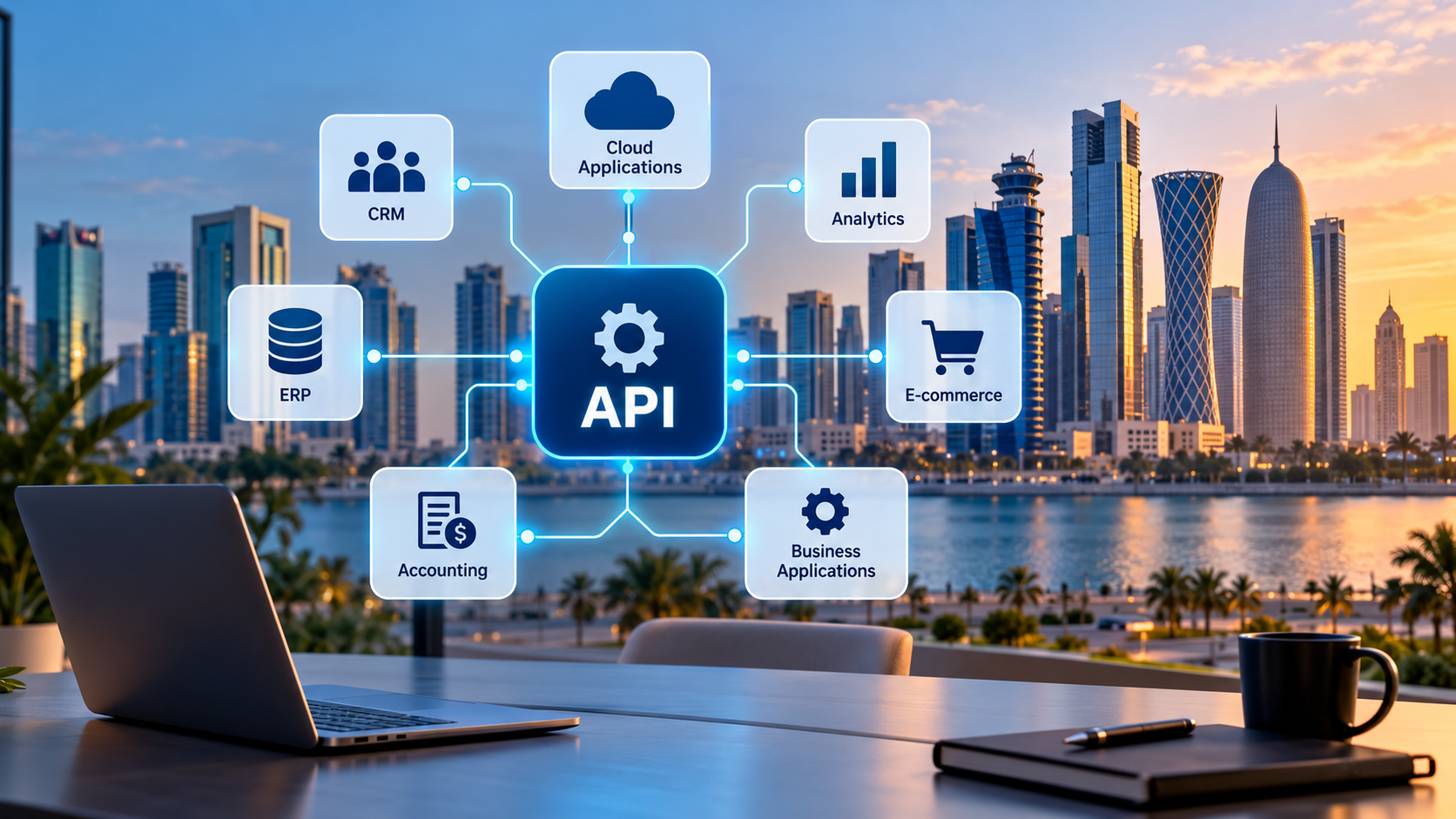
An application programming interface (API) defines how software systems request, exchange, or update information. API-based integration allows applications to communicate through defined endpoints, data formats, and authentication mechanisms.
For example, an e-commerce platform may request inventory information through an API before confirming an order. A payment service may return a transaction status that determines the next step in the order workflow.
Webhooks can complement APIs by notifying another system when a particular event occurs. An API gateway may manage access, routing, and related controls for API traffic.
Teams must account for authentication, rate limits, API version changes, failed requests, and duplicate event handling.
ETL and ELT data integration
ETL and ELT are common approaches for moving and preparing data for analytics, reporting, and other data processing requirements.
- ETL (Extract, Transform, Load): The process extracts data, transforms it into the required structure, and then loads it into the destination.
- ELT (Extract, Load, Transform): The process extracts data, loads it into the destination, and then transforms it within that environment.
ETL can suit workflows that require transformation before data enters the destination. ELT can suit cloud data warehouses and other platforms that support transformation at the destination.
The appropriate method depends on processing requirements, infrastructure, governance, data volume, and the intended use of the information.
Real-time and batch data integration
Real-time integration processes updates as events occur or shortly afterwards. It can support order status changes, operational alerts, and time-sensitive inventory updates.
Batch integration transfers data at scheduled intervals. It can suit daily financial reporting, historical data consolidation, and workloads that do not require immediate updates.
| Consideration | Real-time integration | Batch integration |
| Update frequency | Continuous or event-driven | Scheduled intervals |
| Typical use | Order updates, alerts, operational events | Periodic reports and bulk transfers |
| Main consideration | Latency, event handling, and reliability | Processing windows and data freshness |
| Resource pattern | Ongoing event processing may be required | Workloads run during scheduled periods |
Neither approach is universally better. Some organisations use both to support operational applications and analytical reporting.
Data Integration vs. Data Synchronisation vs. System Integration
Data integration, data synchronisation, and system integration are related concepts, but they describe different aspects of connected technology environments.
| Concept | Meaning | Business example |
| Data integration | Connects or combines information from different sources | Consolidating sales records for reporting |
| Data synchronisation | Keeps corresponding records aligned according to defined rules | Updating customer details across a CRM and service platform |
| System integration | Connects applications, services, workflows, and other technology components | Linking CRM, ERP, inventory, and accounting workflows |
Data synchronisation can form part of a broader data integration solution. System integration has a wider scope because it can coordinate application behaviour and business processes as well as information exchange.
Businesses that need to connect applications and workflows can explore system integration services. Organisations that need enterprise resource planning capabilities can also review ERP solutions in Qatar.
How Does Data Integration Fit into Enterprise Architecture?
Data integration connects the applications, data stores, and business processes within an enterprise technology environment. APIs enable communication between applications, middleware coordinates connections, and data pipelines move and transform information for operational use or analytics.
A typical enterprise architecture includes four functional layers.
Application layer
The application layer contains systems such as CRM, ERP, accounting, e-commerce, and customer service platforms. APIs and webhooks allow these applications to exchange information according to defined rules.
Integration layer
The integration layer manages communication between applications. Depending on the requirements, it may include middleware, integration platforms, API gateways, message queues, event brokers, and custom connectors.
This layer can handle routing, transformation, authentication, and workflow orchestration.
Data layer
The data layer contains operational databases, data warehouses, and data lakes. Operational databases support application transactions, while analytical repositories consolidate information for reporting, business intelligence, and data analysis.
ETL and ELT pipelines help prepare information for the intended destination.
Governance and monitoring layer
Data governance defines ownership, access permissions, quality requirements, retention rules, and appropriate use. Data lineage helps teams understand where information originated and how it changed as it moved through connected systems.
Monitoring, audit logs, and reconciliation processes help identify failures and maintain reliable data flows.
Master data management can also help when several applications maintain records for the same customers, suppliers, products, or locations. It establishes rules for identifying and maintaining authoritative records across systems.
Not every business needs a separate platform for each layer. The architecture should match the scale, complexity, and requirements of the environment.
Practical Example: Integrating an E-commerce Platform with an ERP System
Consider a retailer that receives orders through an online store but manages inventory and finance through a separate ERP platform. Employees currently export order details, check stock manually, and enter financial information into another application.
A data integration workflow can reduce these repeated steps.
Step 1: Capture the order
The online store generates an order containing customer details, product identifiers, quantities, prices, and payment status.
Step 2: Validate and map the data
The integration layer checks required fields, maps product identifiers, validates formats, and prepares the order for the ERP system.
Step 3: Process the order in the ERP
The ERP receives the validated order and processes it according to the business rules. Inventory, invoicing, and fulfilment records update as appropriate for the workflow.
Step 4: Return relevant status updates
The integration can send order status or inventory updates to the online store when the relevant systems support those operations.
Step 5: Monitor failures and reconcile records
The integration checks for failed requests, duplicate order submissions, and discrepancies between source and destination records. Failed transactions can enter a controlled retry or review process.
| Before integration | After a properly designed integration |
| Employees transfer order details manually | Validated order data moves through an automated workflow |
| Inventory updates may be delayed | Inventory changes follow defined update rules |
| Teams reconcile records across applications | Automated checks identify discrepancies for review |
| Errors may remain unnoticed | Monitoring and alerts identify processing failures |
These are expected workflow improvements, not measured results from a specific project. Actual outcomes depend on system capabilities, data quality, and implementation.
Businesses that need to connect commerce platforms and operational applications can explore custom integration solutions.
Which Data Integration Architecture Should a Business Choose?
The right architecture depends on the number of applications, the complexity of the workflows, data volume, and how quickly information must move between systems.
| Architecture | Best suited for | Main consideration |
| Point-to-point connections | A small number of straightforward application connections | Dependencies can become difficult to manage as systems grow |
| Integration platform or middleware | Multiple applications that need reusable connections and central control | Requires configuration, governance, and maintenance |
| Event-driven integration | Workflows that respond to business events | Requires reliable event handling, duplicate prevention, and monitoring |
| ETL or ELT pipelines | Analytics, reporting, and consolidated datasets | Requires appropriate transformation, quality checks, and refresh rules |
| Hybrid architecture | Environments with operational and analytical integration needs | Requires clear ownership and coordination across integration patterns |
Businesses should choose an architecture according to their requirements rather than follow a technology trend. A small environment may need only a few API connections, while an enterprise with legacy applications and multiple data platforms may need central orchestration.
The design should account for reliability, data freshness, security, scalability, and maintenance from the beginning.
How to Implement Data Integration Across Business Systems
A successful data integration project starts with a clear business objective. Teams need to identify the information that must move, the systems that own it, and the outcomes the integration should deliver.
Step 1: Identify disconnected workflows
Document the applications employees use and identify where manual transfers, duplicate records, or inconsistent reports occur.
Map how information moves through the business and identify the points where errors, delays, or unnecessary work arise.
Step 2: Define data ownership and business rules
Decide which system acts as the authoritative source for each type of information. The CRM may own customer relationship records, the ERP may manage inventory, and the accounting platform may own financial transactions.
Agree on identifiers, field formats, update permissions, conflict resolution, and validation rules before building the integration.
Step 3: Select the integration method
Choose APIs, ETL or ELT pipelines, event-driven processing, scheduled transfers, or a combination of methods.
A time-sensitive order workflow may require event-driven updates, while a monthly management report may need only a scheduled pipeline.
Step 4: Build and test the data flow
Configure the connections, map fields, and test representative records before deployment.
Testing should cover invalid data, duplicate events, expired credentials, network failures, and changes in source fields. Teams should confirm that destination systems receive the correct values and preserve the required business rules.
Step 5: Deploy, monitor, and improve
Roll out the integration in a controlled manner. Monitor data freshness, failed transactions, processing delays, and reconciliation results after launch.
Regular reviews help teams detect changing requirements, maintain compatibility, and improve the integration as transaction volumes and application dependencies grow.
What Challenges Can Affect Data Integration Projects?
Data integration can improve business operations, but poor planning can introduce new inconsistencies or create dependencies that are difficult to maintain. Teams should address common risks before deployment.
Inconsistent data formats and duplicate records
Different systems may use different field names, identifiers, currencies, date formats, and conventions for customer or product records.
How to address it: Define suitable data models, standardise formats, validate incoming records, and establish rules for duplicate detection and record matching.
Legacy systems and limited API support
Older applications may lack modern APIs or offer limited integration capabilities. Some may rely on proprietary formats, scheduled files, or direct database access.
How to address it: Assess supported interfaces early. Consider approved connectors, middleware, file-based transfers, or controlled custom integration. Protect legacy systems from excessive requests and unsupported changes.
Data security and access control
Data flows can expose sensitive business information if teams grant excessive permissions or transfer records through insecure channels.
How to address it: Apply least-privilege access, appropriate encryption, secure credential management, audit logging, and retention policies. Limit each integration to the data it requires.
Integration failures and delayed updates
Network problems, rate limits, expired credentials, service interruptions, and API changes can interrupt data flows.
How to address it: Implement monitoring, retry policies, failure alerts, reconciliation checks, and documented recovery procedures. Use idempotent operations where possible so repeated requests do not create duplicate transactions.
Growing integration complexity
Each new application can introduce additional connections, dependencies, and maintenance requirements. Point-to-point integrations may become difficult to manage as the environment expands.
How to address it: Document dependencies, standardise interfaces, reuse integration patterns, and assess whether an integration platform or central orchestration layer would simplify the architecture.
How Data Integration Supports Different Industries
Data integration supports different business outcomes depending on the information an organisation uses and the decisions it needs to make.
Retail and e-commerce
Retailers can connect online orders, product catalogues, inventory, shipping, and accounting systems. Consistent updates can help prevent overselling, improve fulfilment visibility, and reduce duplicate order processing.
Enterprise operations
Businesses can connect ERP, CRM, procurement, finance, and reporting platforms. Shared information helps teams coordinate transactions and understand performance across departments.
Logistics and fleet management
Logistics providers can combine vehicle, dispatch, delivery, and maintenance information. Connected records can improve operational visibility and support informed scheduling decisions.
Finance and business intelligence
Finance teams can consolidate transactions, operational metrics, and sales records for reporting. Validation and reconciliation help identify discrepancies before they affect management decisions.
Businesses that need to connect existing applications and workflows can assess custom integration solutions based on their infrastructure and operational requirements.
How Do You Measure the Success of a Data Integration Project?
A working connection is a technical milestone, not the final business outcome. Businesses should measure whether the integration improves data reliability, reduces unnecessary effort, and supports the intended workflow.
| KPI | What it measures |
| Data freshness | Time between a source update and its availability at the destination |
| Integration success rate | Proportion of processing attempts that complete successfully |
| Data error rate | Share of records that fail validation or require correction |
| Duplicate record rate | Frequency of duplicated records in the relevant dataset |
| Manual processing time | Staff time required for transfers, reconciliation, and corrections |
| Reconciliation discrepancies | Differences between source and destination records that require investigation |
Establish a baseline before implementation, then compare results over a representative period. Targets should reflect the business process, transaction volume, and acceptable risk rather than arbitrary benchmarks.
For example, an inventory workflow may require more frequent updates than a weekly management report. Both integrations can succeed if they meet their defined freshness and reliability requirements.
How Much Do Data Integration Services Cost?
Data integration costs depend on the number and complexity of systems, API availability, data volume, transformation requirements, security controls, testing, and ongoing support.
A straightforward application connection usually requires a different scope from an enterprise integration involving legacy databases and multiple operational platforms.
Before requesting a quote, businesses should document the systems involved, the data that needs to move, the required update frequency, and the expected business outcome. A technical assessment can then establish a realistic scope, implementation approach, and maintenance plan.
When Does a Business Need Custom Data Integration?
Custom data integration may suit businesses whose applications lack compatible connectors, require specialised business rules, exchange complex records, or need greater control over data flows.
Standard connectors may be sufficient for straightforward workflows. Custom development becomes more relevant when existing tools cannot satisfy essential requirements or when several systems need coordinated processing.
Businesses should compare available connectors, custom development, and integration platforms before choosing an approach.
What Should Businesses Consider Before Selecting a Data Integration Provider?
A suitable provider should understand both the technical environment and the business processes that depend on it. Review the following points before selecting an integration partner.
- Compatibility: Can the proposed solution connect to your existing applications and databases?
- Data quality: Does it validate records, standardise formats, and handle duplicates?
- Security: Does it support appropriate authentication, permissions, encryption, and audit trails?
- Scalability: Can the architecture accommodate additional systems and higher data volumes?
- Monitoring: Can the team identify failed transfers, delayed updates, and inconsistent records?
- Maintenance: Who will manage API changes, credentials, updates, and future integration requirements?
- Project scope: Does the proposal define deliverables, acceptance criteria, support arrangements, and responsibilities?
A clear technical assessment helps businesses compare providers using consistent requirements rather than headline prices for solutions with different capabilities.
Frequently Asked Questions About Data Integration
What is data integration in simple terms?
Data integration connects information from different applications, databases, and platforms so businesses can use that information together. It can automate transfers, standardise records, and support consistent reporting across departments.
What is the difference between ETL and data integration?
Data integration is the broader process of connecting and combining information from different sources. ETL is one method that extracts data, transforms it into a suitable format, and loads it into a destination system.
What tools are used for data integration?
Common options include APIs, integration platforms, middleware, ETL and ELT tools, database connectors, message queues, and data pipelines. The appropriate tools depend on the source systems, data volume, security requirements, update frequency, and intended outcome.
How does data integration improve data quality?
Data integration can apply validation rules, standardise formats, identify duplicates, and reconcile records as information moves between systems. Results depend on the quality of the source data and the rules used to process it.
Is data integration the same as system integration?
No. Data integration focuses on connecting and combining information. System integration has a broader scope and can connect applications, coordinate workflows, and enable different technology components to operate together.
How long does a data integration project take?
The timeline depends on the number of systems, API availability, data quality, transformation complexity, security requirements, and testing needs. A straightforward connection may require considerably less work than a multi-system enterprise integration. A technical assessment is necessary to estimate the schedule.
Can data integration support real-time business operations?
Yes. Event-driven integrations, streaming pipelines, and suitable APIs can deliver updates with low latency. Actual performance depends on the architecture, source systems, processing workload, network conditions, and reliability requirements.
How can a business integrate legacy systems with cloud applications?
A business can connect legacy systems to cloud applications through supported APIs, middleware, managed connectors, scheduled file transfers, or other approved interfaces. The team should assess security, compatibility, data formats, performance limits, and recovery requirements before choosing an approach.
Connect Your Business Data with Inspire Technology
Disconnected applications can limit visibility, slow down workflows, and create conflicting business records. A well-planned data integration strategy helps organisations connect the right information, establish consistent data rules, and improve coordination across their technology environment.
The first step is to identify where data gets stuck, determine which systems need to exchange information, and define the outcomes the integration must deliver.
Explore Inspire Technology’s data integration services to assess how connected data flows can support your business operations.