
Businesses often manage customer relationships in a CRM system and financial operations in an ERP platform. However, these systems can create operational friction when they operate independently. Sales teams may lack accurate inventory information, finance teams may receive incomplete order details, and employees may spend hours transferring records between applications.
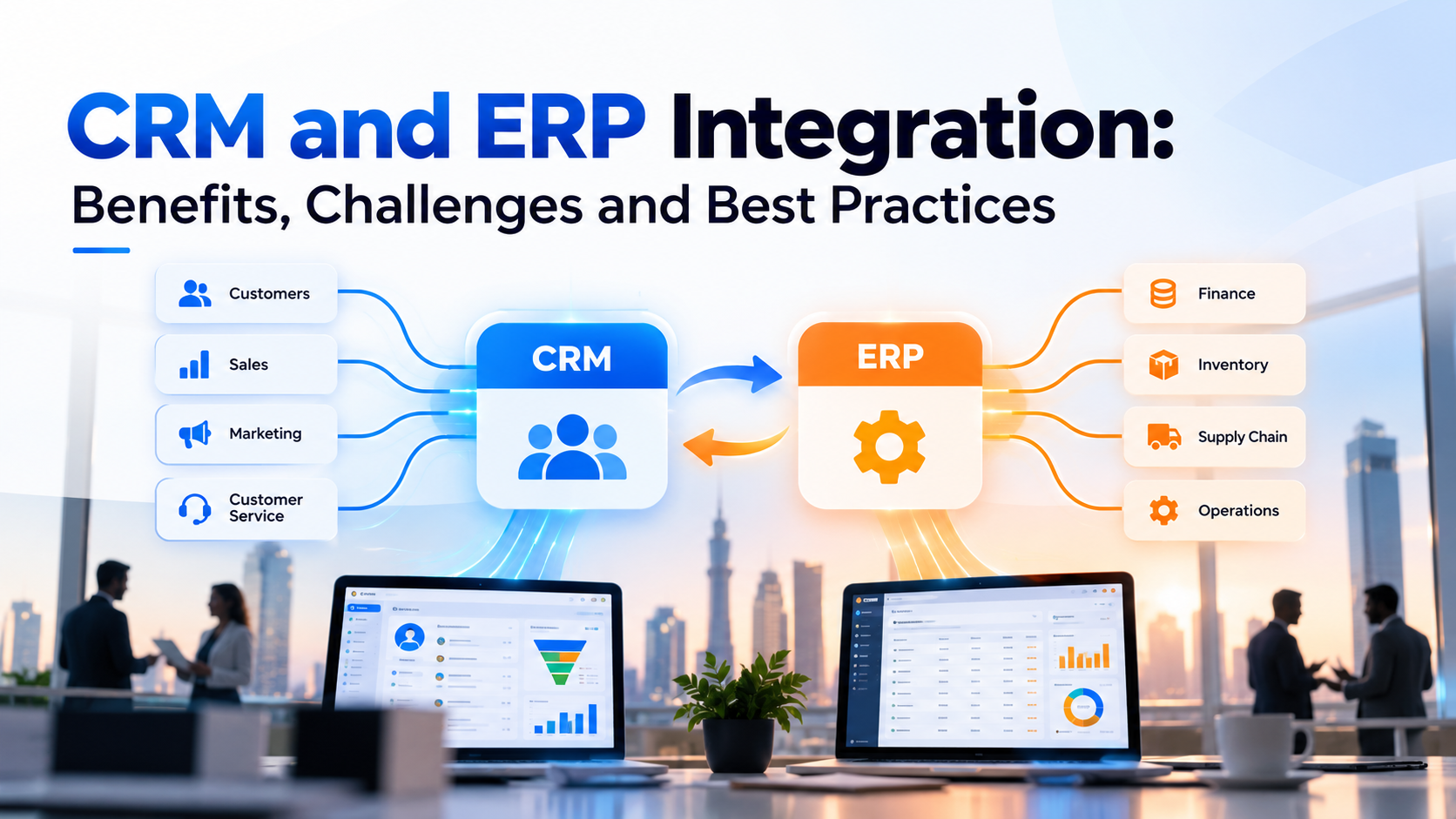
CRM and ERP integration connects customer-facing activities with back-office operations through a coordinated flow of business data. It helps organisations maintain consistent records, automate processes, improve reporting, and give teams access to the information they need.
The right integration strategy goes beyond connecting two software platforms. It defines which system owns each data type, how information moves between applications, how errors are handled, and how the integrated environment supports business growth.
This guide explains how CRM and ERP integration works, the benefits it delivers, the challenges organisations should anticipate, and the best practices for a reliable implementation.
Why CRM and ERP Systems Become Disconnected as Businesses Grow
Customer relationship management (CRM) software supports sales, marketing, customer service, lead management, and customer engagement. Enterprise resource planning (ERP) software manages operational processes such as accounting, procurement, inventory, order fulfilment, and financial reporting.
Each platform serves a different purpose. However, their responsibilities frequently overlap.
For example, a sales representative may update a customer’s billing address in the CRM. The finance team may still use an older address in the ERP. An order can then reach the wrong department, create an invoice discrepancy, or delay fulfilment.
Common problems include:
- Duplicate customer and company records across applications.
- Different product prices or customer details in separate systems.
- Delays between sales orders and inventory updates.
- Manual data entry across sales, finance, and operations.
- Inconsistent reports that rely on different data sources.
- Limited visibility into order status, payments, and outstanding balances.
These problems become harder to manage as transaction volumes, departments, and business applications increase.
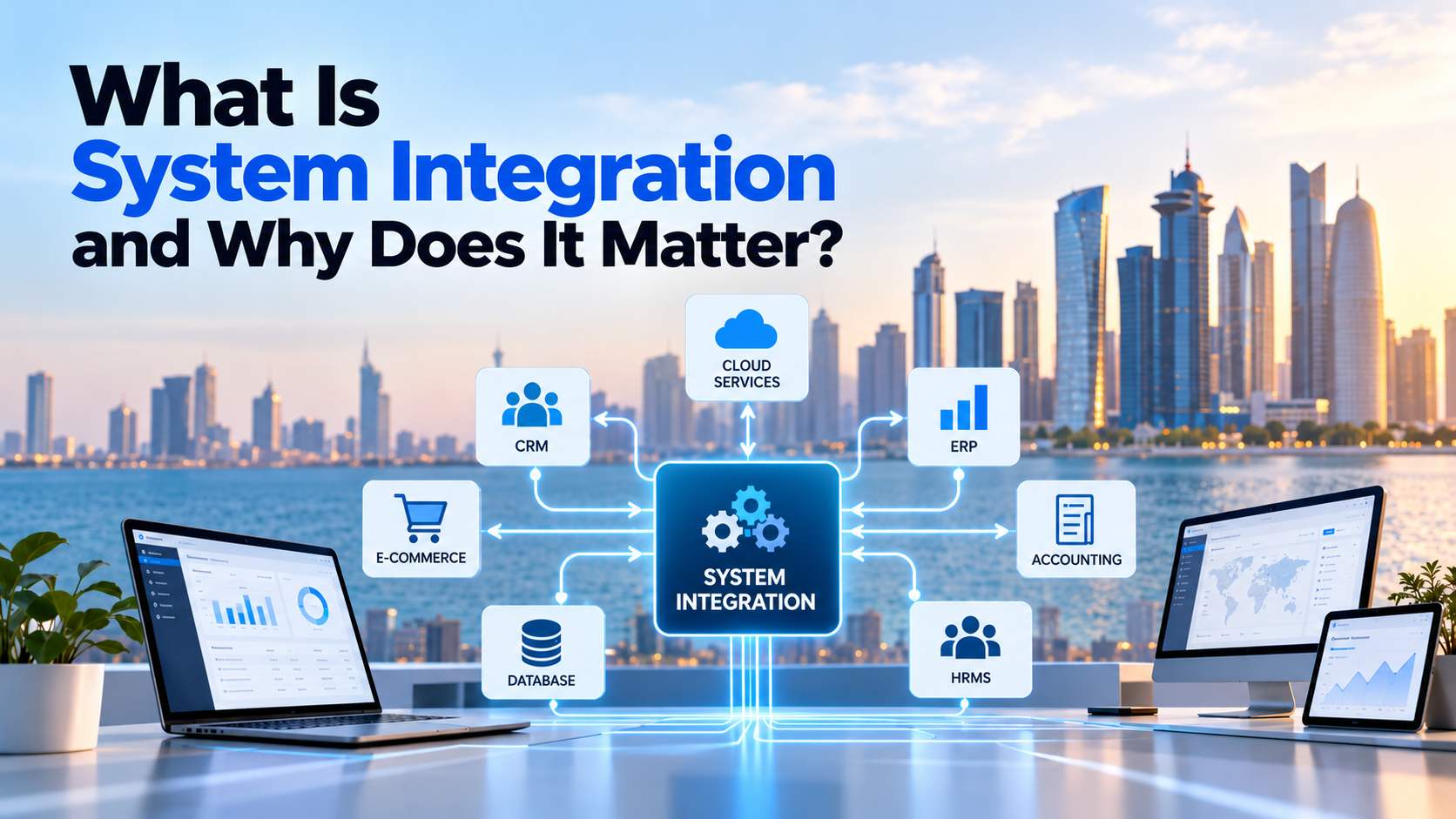
A structured system integration solution connects applications through defined data flows and business rules. Instead of forcing teams to reconcile information manually, the organisation establishes a consistent process for sharing and updating records.
How CRM and ERP Integration Works Across Business Operations
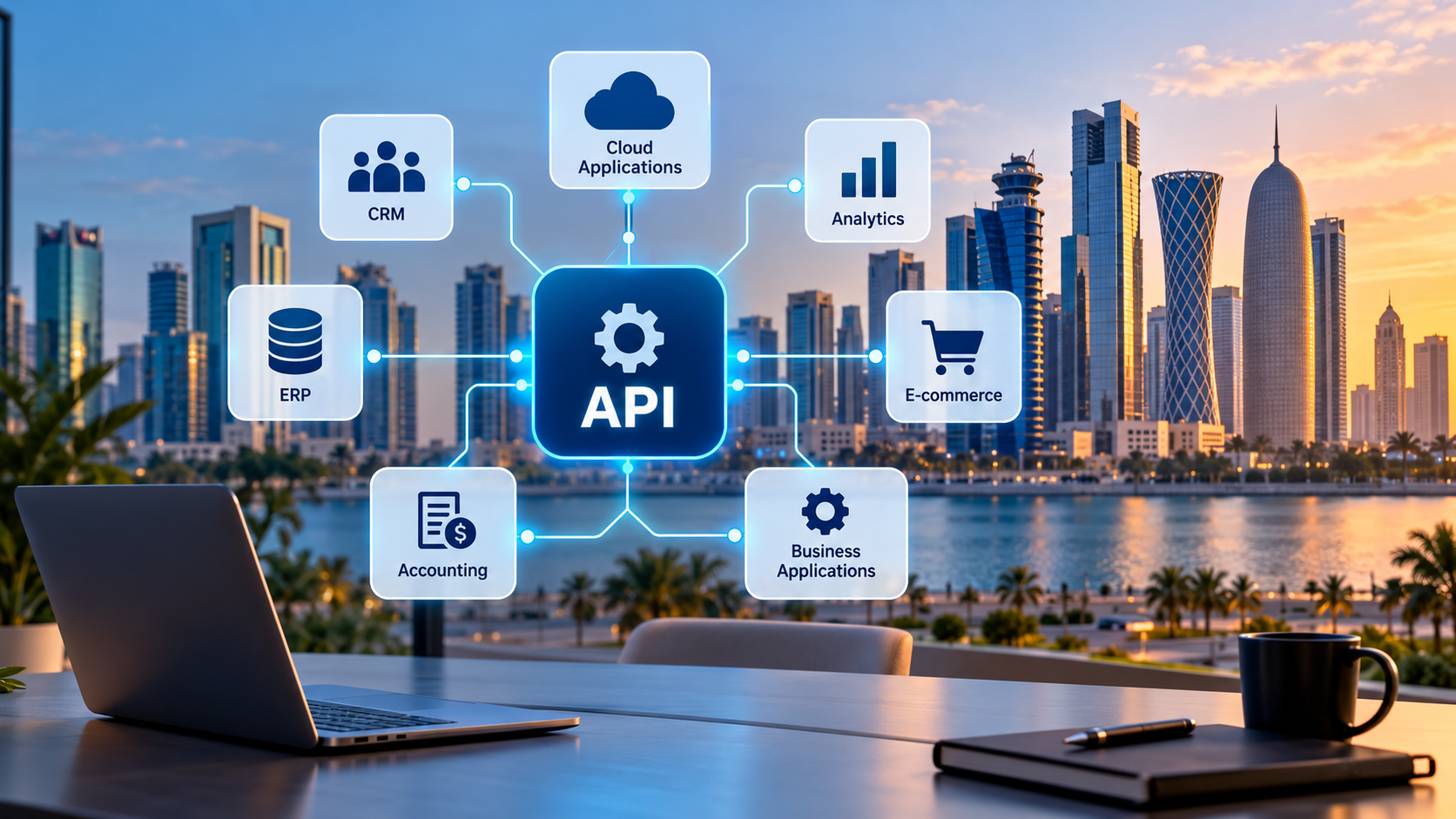
CRM and ERP integration establishes a controlled connection between customer-facing and operational systems. The integration may use APIs, middleware, native connectors, event-based messaging, or scheduled data transfers.
The specific architecture depends on the software platforms, data volumes, business requirements, and acceptable delay between updates.
Which data should move between CRM and ERP?
The integration should focus on data that supports shared business processes. Typical examples include:
| Data category | CRM role | ERP role |
| Customer records | Leads, contacts, account relationships | Billing accounts, payment terms, financial records |
| Product information | Product selection and sales discussions | Product codes, costs, availability, inventory |
| Pricing | Quotes and proposed deals | Approved pricing, discounts, tax rules |
| Sales orders | Customer requirements and order visibility | Order processing, fulfilment, invoicing |
| Payment status | Customer account visibility | Receivables, payment allocation, outstanding balances |
| Order fulfilment | Customer updates and service coordination | Warehouse operations, dispatch, delivery status |
The exact ownership of each record depends on the organisation’s policies and software capabilities.
For example, the ERP may act as the authoritative source for inventory and financial transactions. The CRM may own sales opportunities and customer engagement history. The integration then transfers the relevant information without creating competing sources of truth.
How an integrated order-to-cash workflow works
Consider a distributor that receives orders from business customers.
- A sales representative creates a quote in the CRM.
- The integration checks relevant product, pricing, or availability information from the ERP.
- The customer accepts the quote, and the approved order details move to the ERP.
- The ERP processes the order, reserves stock, and manages fulfilment.
- Invoice and payment status become available to authorised CRM users.
- The sales or account management team uses the updated information to respond to the customer.
This workflow reduces unnecessary hand-offs and gives sales, finance, and operations a shared view of the transaction.
Organisations can extend the same approach to customer onboarding, returns, renewals, credit checks, and service requests. Each workflow should have clear ownership, validation rules, and recovery procedures.
For more specialised requirements, businesses can explore CRM and ERP integration services.
CRM and ERP Integration Benefits Beyond Data Synchronisation
Successful integration creates value when it improves the way teams execute business processes. The main benefits extend beyond moving information between applications.
1. A more consistent view of each customer
Sales representatives need accurate customer information before they negotiate prices, confirm orders, or discuss account issues.
Integration can connect CRM contact records with ERP billing information, approved credit terms, transaction history, and order status. Teams can then access relevant details without switching between disconnected systems.
The organisation must still define matching rules and resolve duplicate records to maintain data quality.
2. Faster order processing and fewer manual hand-offs
Manual transfers introduce delays and create opportunities for transcription errors. An integrated workflow can move approved order details directly into the system responsible for fulfilment.
Employees spend less time copying records and more time resolving exceptions, supporting customers, and managing operational priorities.
Automation should include validation and error handling. A failed order transfer must generate a visible alert rather than disappear silently.
3. Better financial and operational visibility
CRM data explains customer activity and sales opportunities. ERP data provides information about invoices, costs, inventory, and financial transactions.
A controlled integration helps decision-makers connect sales performance with operational results. For example, managers can investigate whether an increase in sales orders also produces healthy margins, timely fulfilment, and reliable cash collection.
The quality of these insights depends on consistent definitions, accurate source data, and appropriate reporting controls.
4. More informed customer service
Customer service teams frequently need order status, invoice details, payment information, or delivery updates to answer customer questions.
Integration can make relevant ERP information available within the CRM or a connected service interface. Employees can then respond using current operational records instead of contacting several departments.
Access should follow role-based permissions, particularly when financial or commercially sensitive information is involved.
5. A more scalable application environment
As a business expands, it may add sales channels, warehouses, accounting tools, customer portals, or specialist applications.
A well-designed integration architecture can accommodate new workflows without requiring employees to repeat the same manual processes. The organisation can also reuse integration components when it adds systems or changes business rules.
For broader requirements, custom integration solutions can help connect applications that lack suitable native connectors or require specialised workflows.
Choosing the Right CRM ERP Integration Architecture
The best integration architecture depends on the business process, system capabilities, data volume, security requirements, and required update frequency. No single method suits every organisation.
API-based integration for direct application communication
Application programming interfaces (APIs) allow software systems to exchange data through defined interfaces.
For example, a CRM may call an ERP API to retrieve product availability or submit an approved sales order. APIs are useful when an application needs specific information or must initiate a particular business action.
However, teams must account for authentication, rate limits, API version changes, network failures, and the response time of each system.
Middleware for complex enterprise workflows
Middleware provides an intermediary layer between applications. It can transform data formats, apply mapping rules, route messages, coordinate workflows, and monitor integration activity.
This approach can be useful when a business connects multiple CRM, ERP, ecommerce, accounting, and reporting platforms. It also reduces the need to build and maintain a separate custom connection for every system pair.
The integration platform must still support the required connectors, security controls, transaction volumes, and operational monitoring.
Businesses with broader requirements can review enterprise integration services to understand how connected applications fit into a wider integration strategy.
Real-time, event-driven, and batch synchronisation
The integration method should match the importance and timing of each update.
- Synchronous API requests: Suitable when a user or process needs a response before continuing, such as checking a current price or submitting an order.
- Event-driven integration: Suitable when a business event, such as an order confirmation, should trigger downstream actions.
- Batch synchronisation: Suitable for scheduled updates, bulk record transfers, and processes that do not require immediate changes.
- Virtual data access: Suitable when a supported architecture allows users to retrieve information from another system without maintaining a separate copy.
Real-time integration is not automatically the best choice. It may introduce additional complexity, dependencies, and failure-handling requirements. A scheduled process can be more appropriate when the data does not need immediate updates.
Microsoft’s Dynamics 365 integration guidance and Salesforce’s integration patterns documentation provide examples of different integration approaches.
CRM and ERP Integration Challenges That Require Early Planning
An integration project can connect applications successfully and still fail to deliver reliable business outcomes. The main risks often involve data quality, unclear ownership, security, and operational dependencies.
Inconsistent and duplicate business data
Different applications may use different customer identifiers, product codes, field formats, or naming conventions. A CRM record may not match the corresponding ERP account.
Teams should define matching rules, standardise formats, identify duplicates, and decide how conflicting values will be resolved before synchronisation begins.
Unclear ownership of records
Problems occur when both applications can modify the same field without an agreed rule.
For example, a sales representative may enter a discount in the CRM while the ERP applies a different approved pricing rule. Without a defined authority, the systems may overwrite each other’s values or display inconsistent information.
A field-level ownership matrix should specify which application controls each record and which updates other systems may accept.
Legacy systems and incompatible interfaces
Older software may lack modern APIs or provide limited support for external connections. Some platforms may require custom adapters, scheduled exports, database connectors, or middleware.
The team should assess supported interfaces, vendor restrictions, data formats, and upgrade requirements before selecting an integration design.
Security and access control
CRM and ERP applications may contain personal information, commercial records, payroll-related data, and financial transactions.
The integration should use appropriate authentication, encrypted communication, least-privilege access, secure credential management, and audit logs. Sensitive information should only move between systems when the business process requires it.
Failed updates and unreliable synchronisation
Network interruptions, API limits, validation errors, and temporary service outages can prevent records from reaching their destination.
A reliable integration should include monitoring, retry rules, duplicate prevention, failure alerts, and reconciliation procedures. Teams must be able to identify which records failed and safely recover them.
Hidden implementation and maintenance costs
The total cost extends beyond initial development. API subscriptions, middleware licensing, data cleansing, testing, monitoring, vendor support, and future system changes can all affect the budget.
Businesses should assess the full operating cost and assign responsibility for ongoing support before implementation.
Best Practices for a Reliable CRM ERP Integration
A dependable integration starts with clear business rules and continues through testing, monitoring, and continuous improvement.
Define the business outcome before selecting tools
Identify the processes that cause the greatest delays, errors, or reporting problems. Establish measurable objectives, such as reducing manual order entry, improving record accuracy, or shortening the time required to update order status.
The integration should solve a defined operational problem rather than connect every available field without a clear purpose.
Map data flows and assign ownership
Document each source system, destination system, field mapping, transformation rule, and update direction.
For every important record, specify:
- Which application creates the record.
- Which application controls the authoritative value.
- When updates should occur.
- How conflicts and duplicate records are handled.
- Which users or systems can access the information.
This documentation becomes the foundation for development, testing, and future maintenance.
Clean and validate data before migration
Review customer records, product identifiers, tax fields, currencies, addresses, and other critical information before enabling synchronisation.
Apply validation rules and test representative records from each major business process. Poor source data can undermine an otherwise well-designed integration.
Choose synchronisation timing according to business needs
Determine which operations require an immediate response and which can use scheduled updates.
For instance, an order submission may require a confirmed response, whereas a nightly reconciliation report may not. This distinction helps teams balance reliability, complexity, and operating cost.
Build monitoring and recovery into the design
Integration monitoring should report failed transactions, delayed messages, authentication errors, and unusual data discrepancies.
Retries should use appropriate backoff rules and prevent duplicate financial or operational transactions. Where a process cannot recover automatically, the system should route the exception to a responsible team.
Test complete business workflows
Testing should cover more than successful API calls. It should include duplicate records, invalid values, missing fields, partial failures, concurrent updates, permission restrictions, and recovery after an outage.
User acceptance testing should confirm that sales, finance, and operations teams can complete their real workflows correctly.
Document the integration and assign ownership
Maintain technical documentation, data mappings, credentials procedures, alert rules, and support responsibilities. Assign clear ownership for integration failures and system changes.
A documented operating model makes it easier to investigate problems and adapt the integration when the organisation changes its software or processes.
A Practical CRM and ERP Integration Roadmap
A phased implementation reduces uncertainty and allows teams to validate the approach before they extend it across the organisation.
Phase 1: Discovery and requirements
Review the current CRM and ERP environments, business processes, existing integrations, data quality, and operational pain points. Prioritise the workflows that offer the clearest business value.
Phase 2: Architecture and data mapping
Choose the integration method, define system ownership, map fields, document security requirements, and agree on error-handling rules. Confirm the required update frequency for each workflow.
Phase 3: Development and controlled testing
Configure connectors or develop integration components. Test data transformations, access controls, performance, failure scenarios, and end-to-end business transactions in a controlled environment.
Phase 4: Pilot and production rollout
Start with a limited workflow or business unit. Monitor actual results, resolve defects, validate user feedback, and expand the integration when the pilot meets its acceptance criteria.
Phase 5: Monitoring and optimisation
Track failed transactions, data discrepancies, processing delays, and user-reported issues. Review the integration as business requirements, APIs, and software platforms evolve.
A phased approach also supports better coordination between business stakeholders, software developers, and system administrators.
How to Measure CRM and ERP Integration Success
Businesses should assess integration performance against the objectives established during discovery.
Useful measures include:
| Metric | What it reveals |
| Data accuracy | Whether records match the agreed validation rules |
| Synchronisation latency | How long updates take to reach the destination system |
| Failed transaction rate | How often integration processes require intervention |
| Manual data-entry volume | Whether employees still repeat work across systems |
| Order processing time | Whether the integrated workflow reduces operational delays |
| Reconciliation effort | How much work teams need to resolve mismatched records |
| Integration operating cost | Whether ongoing support and platform costs remain sustainable |
Establish a baseline before implementation and compare results after rollout. Define each metric consistently so teams can distinguish genuine improvements from changes in reporting methods.
The right targets depend on the organisation’s processes, transaction volumes, and service requirements. Businesses should set realistic thresholds rather than rely on universal benchmarks.
Frequently Asked Questions
What is CRM and ERP integration?
CRM and ERP integration connects customer relationship management software with enterprise resource planning software. It allows relevant customer, order, product, inventory, and financial information to move between systems according to defined business rules.
Why should a business integrate its CRM and ERP systems?
Integration can reduce duplicate data entry, improve information consistency, automate order processing, strengthen reporting, and help sales, finance, and operations teams access relevant information.
Can CRM and ERP systems synchronise data in real time?
Yes, when the software platforms and integration architecture support the required real-time or near-real-time communication. Some processes still benefit from scheduled batch updates because they do not require immediate synchronisation.
What is the difference between CRM integration and ERP integration?
CRM integration connects customer-facing applications, such as sales, marketing, and customer service platforms. ERP integration connects operational and financial applications, such as accounting, inventory, procurement, and production systems. CRM-ERP integration coordinates relevant data and workflows between both environments.
What are the main challenges of CRM ERP integration?
Common challenges include inconsistent data, duplicate records, incompatible interfaces, unclear data ownership, security risks, failed synchronisation, and ongoing maintenance costs. A clear architecture and thorough testing help organisations manage these risks.
Do businesses need middleware for CRM and ERP integration?
Not always. Direct APIs or native connectors may be sufficient for simple requirements. Middleware becomes more useful when an organisation must coordinate multiple applications, transform complex data, or manage shared workflows across several systems.
How long does CRM and ERP integration take?
The timeline depends on the software platforms, number of workflows, data quality, integration complexity, security requirements, and testing scope. A limited integration may take considerably less time than a multi-system enterprise project. A discovery assessment provides a more reliable estimate.
How can a business choose the right CRM ERP integration partner?
Assess the provider’s understanding of your CRM and ERP platforms, API and middleware capabilities, data governance approach, security practices, testing methodology, monitoring capabilities, and post-launch support. Ask for a clear scope, implementation plan, and measurable acceptance criteria.
Connect Your Business Systems with a Clear Integration Strategy
Disconnected business applications can create avoidable delays, inconsistent records, and fragmented reporting. A well-planned CRM and ERP integration connects customer-facing processes with the operational systems that support them.
The most effective approach begins with clear business objectives, reliable data ownership, an appropriate integration architecture, and strong error-handling procedures. Continuous monitoring then helps the organisation maintain data quality and adapt as requirements evolve.
Inspire Technology helps businesses evaluate and connect their applications through tailored CRM and ERP integration services. Explore an integration approach that aligns with your workflows, software environment, and long-term operational goals, or contact our team to discuss your requirements.