
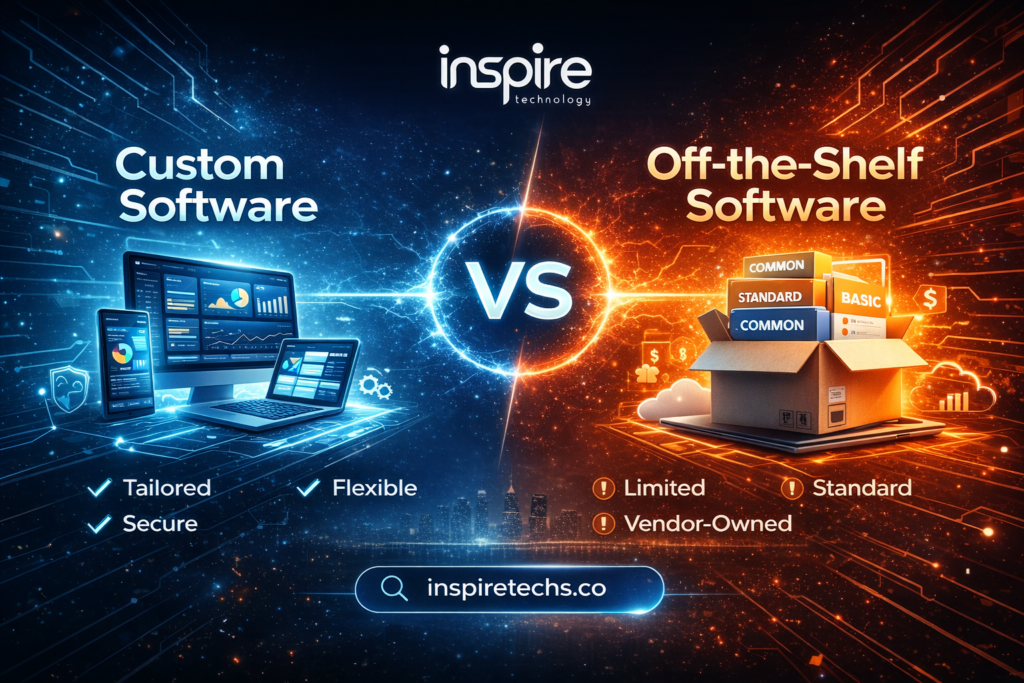
Choosing between custom software and off-the-shelf software can shape how a business operates, scales, manages costs, and serves customers.
The right software model should fit your workflows, technology goals, budget, security requirements, and growth plans. A low-cost solution may work well today but create limitations as your business grows. A custom platform may require more investment at the start but can provide greater control over critical operations.
This guide explains custom software vs off-the-shelf software across cost, flexibility, scalability, security, integrations, maintenance, AI capabilities, and long-term business value.
Custom Software vs Off-the-Shelf Software at a Glance
| Factor | Custom Software | Off-the-Shelf Software |
| Initial cost | Higher | Lower |
| Deployment | Longer | Faster |
| Customization | High | Limited to available options |
| Scalability | Designed around business needs | Depends on vendor plans and architecture |
| Ownership | Greater control over the application | Vendor-controlled product |
| Integrations | Can be designed for specific systems | Depends on available integrations |
| Security | Custom security architecture | Vendor-managed security |
| Updates | Business controls release priorities | Vendor controls updates |
| Maintenance | Business or development partner manages it | Vendor manages the core product |
| Vendor lock-in | Lower dependency on one product vendor | Higher dependency on the provider |
| Best suited for | Unique or core business processes | Standard business requirements |
The right choice depends on the role software plays in your business. Standard processes often suit ready-made tools. Complex, strategic, or highly specialized workflows may justify custom development.
What Is Custom Software Development?
Custom software is an application built around the specific requirements of one organization. A development team designs the system around business workflows, user roles, data structures, integrations, and operational goals.
Custom software can include:
- Web applications
- Customer portals
- Business management platforms
- Enterprise applications
- Internal workflow systems
- Industry-specific platforms
- Automation systems
- Custom CRM or ERP solutions
- Data and reporting platforms
- AI-powered business applications
A custom solution gives a business greater control over its product roadmap. Teams can add features based on actual business requirements instead of waiting for a third-party vendor to introduce them.
Custom development also supports deeper integration with existing systems. A business can design the application around its APIs, databases, legacy platforms, workflows, and security requirements.
Examples of Custom Software
Large digital businesses often rely on highly customized technology platforms because their operations require specialized systems.
Examples include platforms such as:
- Netflix
- Airbnb
- Uber
- Amazon
- Large banking platforms
- Healthcare management systems
- Logistics and fleet platforms
The important point is not the company name. The key factor is the business model behind the software. A unique workflow can create a strong reason to develop a tailored platform.
What Is Off-the-Shelf Software?
Off-the-shelf software is a pre-built product designed for a broad market. A vendor develops the product around common business requirements and sells access through a subscription, license, or other commercial model.
Common examples include:
- Salesforce
- SAP
- Oracle
- Microsoft 365
- Trello
- Asana
- Slack
- Accounting platforms
- Email platforms
- Standard CRM systems
Off-the-shelf software can provide a fast way to solve common business problems. Businesses can often start with minimal development work and access features immediately.
The trade-off is flexibility. A business must usually adapt its workflows to the capabilities and limitations of the selected product.
Custom Software vs Off-the-Shelf: Key Differences
1. Ownership and Control
Custom software provides greater control over the application architecture, development roadmap, features, and integrations.
A business can decide:
- Which features to develop
- How workflows operate
- How user permissions work
- Which systems connect to the platform
- How data moves through the system
- When new features are released
Off-the-shelf software operates under the vendor’s product and licensing model. The provider controls its roadmap, pricing, updates, and core functionality.
Businesses should review licensing terms, data ownership, export options, and contract conditions before selecting a critical SaaS platform.
2. Flexibility and Customization
Custom software adapts to the business.
A development team can create dashboards, approval processes, automation rules, permissions, reports, and interfaces around actual user requirements.
Off-the-shelf software offers a fixed feature set. Some products provide configuration options, plugins, APIs, or custom modules. Complex requirements may still require workarounds or additional systems.
Custom software becomes more valuable when the business process itself creates a competitive advantage.
3. Scalability and Growth
Growth changes software requirements.
A growing business may need:
- More users
- Higher transaction volumes
- New business units
- Additional integrations
- New customer portals
- Advanced reporting
- More automation
- New permission levels
Custom software can be architected around expected growth. The development plan can also evolve as requirements change.
Off-the-shelf platforms can scale well too, especially when the vendor has strong infrastructure. The main limitation may come from pricing tiers, feature availability, user limits, API restrictions, or product architecture.
The best choice depends on how closely the software needs to follow the business growth model.
4. Integration and Compatibility
Modern businesses rarely operate through one application.
A typical technology environment may include:
- CRM systems
- ERP platforms
- Payment gateways
- Accounting software
- Inventory systems
- Marketing platforms
- Customer portals
- APIs
- Legacy databases
- Cloud services
Custom software can be designed around these systems from the start. Developers can create the required integration architecture and data flows.
Off-the-shelf products often provide pre-built integrations. Those integrations can be highly effective for common platforms. Complex or unusual requirements may need middleware, custom APIs, plugins, or manual processes.
5. Security and Compliance
Security should not be treated as an automatic advantage of either model.
Custom software gives businesses greater control over security architecture. Developers can implement role-based access, authentication, permissions, encryption, audit trails, and industry-specific requirements around the application’s needs.
Off-the-shelf software relies heavily on the vendor’s security infrastructure and policies. Established providers may offer mature security controls and compliance programs.
Businesses in regulated industries should evaluate:
- Data storage
- Access controls
- Encryption
- Audit logs
- Data residency
- Compliance requirements
- Vendor security policies
- Backup and recovery
- Incident response
The correct question is not simply, “Which option is more secure?”
The better question is:
Which option provides the level of control and protection your business requires?
6. Maintenance and Updates
Custom software gives businesses more control over the release roadmap. That control also creates responsibility.
Custom applications require:
- Bug fixes
- Security patches
- Performance monitoring
- Infrastructure management
- Feature updates
- Backup management
- Technical support
A business can handle this work internally or work with a software development partner.
Off-the-shelf software shifts most core maintenance responsibilities to the vendor. Providers usually manage product updates, patches, infrastructure, and core improvements.
The trade-off is control. A vendor can change features, pricing, interfaces, or update schedules without following your internal roadmap.
7. Vendor Lock-In
Vendor dependency becomes important when software supports critical business operations.
Off-the-shelf platforms can create dependency through:
- Long-term subscriptions
- Proprietary data structures
- Vendor-specific workflows
- Limited data export
- Paid integrations
- Contract terms
- Switching costs
Custom software can reduce dependency on a single software product because the business has greater control over its application and development roadmap.
Custom development does not remove every third-party dependency. Cloud providers, APIs, payment gateways, hosting services, and other technologies can still create dependencies.
A strong technology strategy should identify those dependencies before they become expensive to change.
Custom Software: Advantages and Disadvantages
| Advantages | Disadvantages |
| Business-Specific Workflows: Custom software can reflect the way your business operates, including unique approval processes, customer journeys, reporting structures, and internal operations. | Higher Initial Investment: Custom development requires planning, design, development, testing, deployment, and project management. |
| Greater Flexibility: Teams can add or change functionality as business requirements evolve. | Longer Development Time: A custom application usually takes longer to launch than an existing SaaS product. |
| Deeper Integrations: Developers can build integrations around existing systems, APIs, databases, and business processes. | Maintenance Responsibility: The business needs a plan for updates, security, infrastructure, support, and future development. |
| Scalable Architecture: The application can be planned around expected users, transactions, data volumes, and future features. | Greater Project Complexity: Custom development requires clear requirements, technical planning, testing, and ongoing communication. |
| Greater Product Control: The business has more influence over the roadmap instead of depending on a third-party product’s priorities. | |
| Competitive Differentiation: Software can become a competitive asset when it supports processes that competitors cannot easily reproduce. | |
| Custom AI Capabilities: A custom platform can integrate AI around proprietary business data, workflows, automation requirements, and decision processes. |
Off-the-Shelf Software: Advantages and Disadvantages
| Advantages | Disadvantages |
| Faster Deployment: Businesses can often start using an existing product soon after purchase or configuration. | Limited Customization: Businesses must work within the product’s available functionality and configuration options. |
| Lower Initial Cost: Subscription or licensing models can reduce the initial investment compared with custom development. | Recurring Costs: Subscription fees can increase as user numbers, features, storage, or service levels increase. |
| Vendor Support: The provider usually manages product updates, technical improvements, security patches, and core maintenance. | Vendor Dependency: The provider controls pricing, product changes, support policies, and the development roadmap. |
| Established Features: Businesses can access a broad set of features without funding the development of each function. | Workflow Compromises: Teams may need to change internal processes to match the software. |
| Proven Integrations: Popular products often support integrations with widely used business platforms. | Integration Limitations: Unusual systems or legacy platforms may require additional development work. |
| Regular Product Updates: Vendors can continuously improve their products and introduce new features. | Potential Migration Costs: A business may face significant data migration and training costs if it later switches products. |
Custom Software vs Off-the-Shelf: Cost and Total Cost of Ownership
Price should not be the only factor in the decision.
A better comparison considers total cost of ownership (TCO).
Custom Software Costs
Custom development may include:
- Business analysis
- UI/UX design
- Development
- Testing
- Project management
- Infrastructure
- Deployment
- Security
- Maintenance
- Future enhancements
The initial investment can be higher, but the business gains greater control over the product.
Off-the-Shelf Software Costs
A ready-made platform may include:
- Subscription fees
- Licensing
- User-based pricing
- Premium features
- Storage charges
- API costs
- Add-ons
- Integration costs
- Training
- Migration expenses
The initial cost may be lower, but recurring expenses can increase as the business grows.
Total Cost of Ownership Comparison
| Cost Factor | Custom Software | Off-the-Shelf Software |
| Initial investment | Higher | Lower |
| Subscription dependency | Lower | Higher |
| User-based fees | Usually avoidable | Common |
| Custom development | Included in project | May require additional work |
| Maintenance | Business responsibility | Vendor-managed core product |
| Integration | Built around requirements | Depends on available options |
| Migration risk | Lower product dependency | Can be higher when switching vendors |
| Long-term cost | Depends on maintenance and scale | Depends on subscriptions and usage |
A proper TCO analysis should consider the expected software lifecycle rather than only the first-year price.
Custom Software vs Off-the-Shelf: AI Capabilities
AI has changed how businesses evaluate software.
Off-the-shelf platforms increasingly include features such as:
- Generative AI
- Predictive analytics
- AI assistants
- Automated reporting
- Workflow automation
- AI-powered search
These capabilities can help businesses adopt AI without building an entire AI platform internally.
Custom software provides a different advantage. Businesses can design AI capabilities around their own data and workflows.
Potential applications include:
- AI-powered customer support
- Predictive business analytics
- Document processing
- Intelligent workflow automation
- Recommendation systems
- Internal AI assistants
- Forecasting
- Custom decision-support tools
The key question is not simply whether software has AI.
The better question is:
Can the software apply AI to the data, workflows, and business problems that matter most to your organization?
Examples: When Each Software Model Makes Sense
Custom Software Examples
Custom development may suit:
- Healthcare management platforms
- Logistics and fleet management systems
- Financial technology platforms
- Complex enterprise portals
- Industry-specific CRM systems
- Advanced workflow automation
- Customer-facing digital platforms
- Proprietary data and analytics systems
Off-the-Shelf Software Examples
Ready-made software may suit:
- Project management
- Standard accounting
- Basic CRM
- Team communication
- Document management
- Standard HR functions
- Common marketing operations
The distinction comes down to the complexity and strategic importance of the workflow.
When Should You Choose Custom Software?
Custom software can be the stronger choice when:
- Your workflows are unique.
- Your software supports a core business process.
- Existing tools require too many workarounds.
- You need deep integrations.
- Your business requires advanced automation.
- You manage complex user roles and permissions.
- Your data or workflows require specialized handling.
- You expect significant growth.
- You need greater control over the product roadmap.
- Software can create a competitive advantage.
- You need AI capabilities built around proprietary data.
Custom development makes the most sense when software is more than an operational tool. It becomes a strategic part of the business.
When Does Off-the-Shelf Software Make More Sense?
Off-the-shelf software can be the better choice when:
- Your workflow is common across businesses.
- You need software quickly.
- Your initial budget is limited.
- Your requirements are unlikely to change significantly.
- You do not need deep customization.
- A reliable product already solves the problem.
- Vendor support is more valuable than ownership.
- You prefer predictable implementation over development.
A business does not need custom software simply because it can afford it.
If a proven SaaS platform solves the problem effectively, buying it may be the smarter decision.
Hybrid Strategy: Start Off-the-Shelf, Then Move to Custom
Businesses do not always need to choose one model permanently.
A hybrid strategy can work well.
A growing company may begin with off-the-shelf tools to establish operations. As the business develops, certain workflows may become too complex for standard platforms.
The transition can follow this path:
Start with SaaS → Identify limitations → Measure operational gaps → Build custom capabilities → Migrate critical workflows
This approach can reduce early investment while creating a path toward greater control.
Businesses should plan the transition carefully. Data architecture, integrations, security, and migration requirements should be considered before the existing system becomes difficult to replace.
How to Choose the Right Software Model
Ask these questions before making a decision:
1. Are your workflows standard or unique?
Standard processes often suit off-the-shelf software. Unique processes may justify custom development.
2. How important is the software to your competitive advantage?
Core business systems deserve more control than routine support tools.
3. How quickly do you need deployment?
A ready-made product can usually launch faster than a custom application.
4. How much customization do you need?
Extensive customization can make custom development more practical.
5. How complex are your integrations?
Multiple legacy systems, APIs, databases, and third-party services may require a tailored integration strategy.
6. What will the software cost over its full lifecycle?
Compare development, subscriptions, integrations, maintenance, training, upgrades, and migration.
7. Who should control the product roadmap?
Custom software gives the business greater control. SaaS products place roadmap decisions with the vendor.
8. How important are security and compliance?
Review data, access, regulatory, audit, and security requirements before selecting a model.
9. Will AI become an important part of the workflow?
Consider whether existing AI features are enough or whether your business needs AI built around proprietary data and processes.
Do You Need a Development Team or a Software Vendor?
The answer depends on the role of the software.
A software vendor may be enough when your business needs a standard solution for a common process.
A development team becomes more valuable when you need:
- Custom workflows
- Complex integrations
- Proprietary platforms
- Advanced automation
- Enterprise web applications
- Custom AI capabilities
- Legacy system modernization
- Scalable digital products
Inspire Technology helps businesses build software around specific operational and technology requirements. Our approach focuses on scalable architecture, practical integrations, secure development, and long-term business value.
Explore our custom software development services to discuss your requirements and identify the right technology approach.
Final Comparison: Custom Software vs Off-the-Shelf
| Business Need | Better Fit |
| Fast deployment | Off-the-shelf |
| Limited initial budget | Off-the-shelf |
| Standard business process | Off-the-shelf |
| Vendor-managed maintenance | Off-the-shelf |
| Unique workflows | Custom |
| Complex integrations | Custom |
| Proprietary automation | Custom |
| Full product control | Custom |
| Specialized AI capabilities | Custom |
| Long-term differentiation | Custom |
| Flexible growth requirements | Custom |
| Mixed requirements | Hybrid |
Frequently Asked Questions
Is custom software better than off-the-shelf software?
Neither option is universally better. Custom software can provide greater control, flexibility, and specialization. Off-the-shelf software can provide faster deployment, lower initial costs, and vendor-managed maintenance.
Is custom software more expensive?
Custom software usually requires a higher initial investment. The long-term cost depends on development, maintenance, infrastructure, integrations, and the software lifecycle. Off-the-shelf products can also become expensive through recurring subscriptions, user fees, upgrades, and add-ons.
How long does custom software development take?
The timeline depends on project scope, system complexity, integrations, design requirements, testing, and deployment needs. A simple application may require less time than a large enterprise platform.
Can off-the-shelf software be customized?
Yes. Many SaaS platforms support configuration, plugins, APIs, integrations, and custom modules. The level of customization depends on the product.
Is custom software more secure?
Custom software provides greater control over the security architecture, but security depends on how the system is designed, developed, deployed, and maintained. Off-the-shelf software can also provide strong security when the vendor has mature security and compliance practices.
Which option is easier to scale?
Both models can scale. Custom software can be designed around specific growth requirements. Off-the-shelf platforms can scale effectively when their architecture, pricing model, and feature set match the business.
What is the total cost of ownership in software?
Total cost of ownership includes the full cost of using and maintaining software over its lifecycle. It can include development, subscriptions, licenses, infrastructure, integrations, training, maintenance, upgrades, and migration.
Can a business move from off-the-shelf software to custom software?
Yes. Many businesses start with ready-made platforms and later build custom systems as their workflows, customer base, or operational requirements become more complex. A well-planned migration can reduce disruption.
Final Thoughts
The choice between custom software vs off-the-shelf software depends on more than price.
Off-the-shelf software can be the right choice when your business needs a proven solution, fast deployment, and standard functionality.
Custom software can be the better choice when your workflows are unique, integrations are complex, software is central to your competitive advantage, or your business needs greater control over its technology roadmap.
A practical decision starts with your workflows, growth plans, integration requirements, security needs, AI goals, and total cost of ownership.
Choose the software model that supports where your business is going, not only where it is today.